Managing physical devices for remote and hybrid teams can drain IT resources quickly. Shipping laptops, configuring VPNs, and handling hardware repairs consume valuable time and budget.
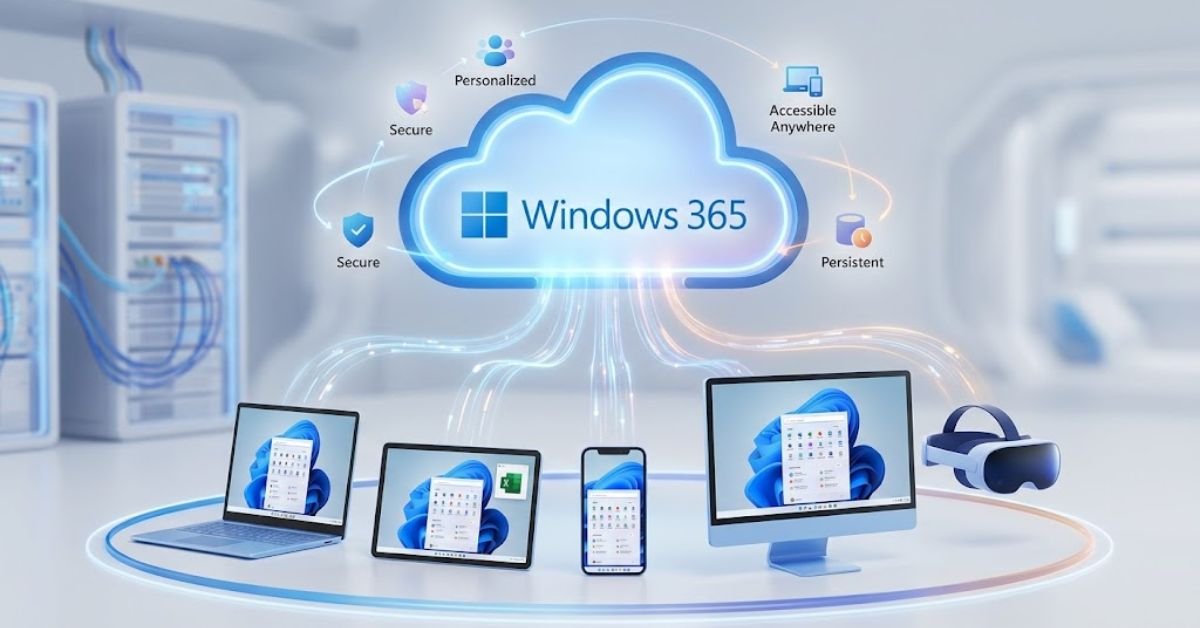
Windows 365 solves this issue by stream-lining device delivery. It streams your full desktop, apps, settings, and corporate files directly from the Microsoft Cloud to virtually any device.
Whether you log in from an iPad, a Linux laptop, or an Android phone, you get the same personalized Windows experience every time.
Understanding the Windows 365 Cloud PC Concept
Windows 365 introduces a complete virtualization category called the Cloud PC. Unlike standard virtual desktop infrastructure (VDI), a Cloud PC pairs the security and elasticity of the cloud with the predictability of a fixed monthly subscription.
Your desktop lives inside Microsoft Azure. When you log in using the Windows App or a web browser, your session streams down seamlessly without storing sensitive company data on the physical device.
Core architectural elements include:
- Predictable Costing: You pay a flat rate per user per month rather than variable compute and storage fees.
- Instant State Preservation: If your internet connection drops or you switch devices mid-day, your Cloud PC reopens instantly with all your active apps and windows intact.
- Centralized IT Control: IT teams manage Cloud PCs alongside physical laptops inside Microsoft Intune using identical policies and deployment profiles.
Key Features That Power the Cloud PC
Microsoft designed Windows 365 specifically to streamline corporate device management without sacrificing user performance.
       +-------------------------------------------------------+
       |               MICROSOFT AZURE CLOUD                   |
       |  +-------------------------------------------------+  |
       |  |             Windows 365 Cloud PC                |  |
       |  |  (Windows 11, Apps, User Profile, Security)   |  |
       +--+-----------------------+-------------------------+--+
                                  |
                   Encrypted Streaming (RDP / Adaptive Graphics)
                                  |
       +--------------------------+----------------------------+
       |                       CLIENT                          |
       |  +-------------+   +--------------+   +------------+  |
       |  |   Windows   |   |   Mac / iOS  |   |   Android  |  |
       |  +-------------+   +--------------+   +------------+  |
       |  +-------------+   +--------------+                   |
       |  |    Linux    |   | Web Browsers |                   |
       |  +-------------+   +--------------+                   |
       +-------------------------------------------------------+
1. Cross-Platform Accessibility
Access your Windows 11 desktop from Windows, macOS, iOS, iPadOS, Android, Linux, or any HTML5-compliant web browser.
2. Scalable Performance Configurations
Choose from lightweight setups (2 vCPU / 4 GB RAM) for basic administrative work up to powerful configurations (32 vCPU / 128 GB RAM) designed for heavy software development, media editing, and data science. Dedicated GPU options exist for graphics-heavy workloads.
3. Integrated Enterprise Security
Windows 365 relies on zero-trust architecture by default. It integrates directly with Microsoft Entra ID for identity access management and supports passwordless authentication, granular conditional access policies, and data loss prevention (DLP) guardrails.
Windows 365 vs. Azure Virtual Desktop: What’s the Difference?
Organizations often confuse Windows 365 with Azure Virtual Desktop (AVD). While both run on Microsoft Azure, they serve distinct business models and infrastructure preferences.
| Feature / Capability | Windows 365 (Cloud PC) | Azure Virtual Desktop (AVD) |
| Pricing Model | Fixed monthly cost per user | Consumption-based (pay for compute/storage used) |
| Target Audience | General enterprise workers, remote staff, contractors | Specialized IT environments, high-concurrency multi-session needs |
| Management Platform | Microsoft Intune | Azure Portal & Azure Resource Manager |
| Infrastructure Setup | SaaS – Fully automated by Microsoft | PaaS – Requires custom virtual network and VM design |
| Multi-session Support | Supported via specialized plans (e.g., Windows 365 Flex) | Native multi-session Windows 11 |
Windows 365 Licensing Editions Explained
Microsoft offers several distinct tiers tailored to different organizational structures and team sizes:
Windows 365 Business
Designed for companies with up to 300 total users. It requires minimal configuration and no prerequisites, allowing small businesses to provision Cloud PCs directly from the Microsoft 365 admin center.
Windows 365 Enterprise
Built for larger organizations with unlimited user capacity. It integrates deeply with Microsoft Intune for management, custom network connections, and advanced compliance policies.
Windows 365 Flex
Optimized for shift workers, contractors, and seasonal personnel who do not require a dedicated 24/7 endpoint. It allows organizations to purchase a pooled set of licenses shared across multiple users, reducing overhead costs.
Real-World Benefits for Modern Workforces
Switching to Cloud PCs offers immediate administrative and operational benefits:
- Simplified Onboarding: Provision a fully configured enterprise workspace for a new employee in minutes, eliminating long hardware shipment delays.
- Streamlined BYOD Strategies: Let team members use personal devices securely. Company data remains inside the encrypted cloud container, preventing data leakage to local home drives.
- Reduced IT Overhead: Eliminate local imaging, driver management, and complex physical repairs.
- Better Business Continuity: If a laptop gets lost, stolen, or damaged, employees sign in on another machine and resume work right where they stopped.
Step-by-Step Guide: How to Troubleshoot Windows 365 Connectivity Issues
When connection issues occur, run through this step-by-step diagnostic process:
Step 1: Check Network and Endpoint Connectivity
Verify that your local internet connection is stable. Windows 365 requires a minimum connection speed of 3-5 Mbps per user session for smooth operation.
Step 2: Clear the Windows App/Browser Cache
If your connection freezes on boot, sign out of the Windows App or browser interface. Clear your browser cache or reset the Windows App cache settings, then restart the application.
Step 3: Run the Azure Network Connection (ANC) Diagnostic
Administrators can check the status of custom virtual network connections inside the Microsoft Intune admin center:
- Navigate to Devices > Windows 365.
- Select Azure Network Connection.
- Run a retry check to confirm DNS routing, subnet availability, and service endpoints.
Step 4: Execute a Cloud PC Restart or Reprovision
If a Cloud PC stops responding entirely, users or admins can trigger an emergency reboot directly from the user portal:
- Select Settings next to your Cloud PC name and click Restart.
- If system errors persist, administrators can select Reprovision inside Intune to rebuild the Cloud PC from the master image while preserving basic policy assignments.
Frequently Asked Questions
What is the Windows 365 app?
The Windows 365 app is a lightweight client application that connects your physical device (Windows, Mac, iPad, or Android) directly to your cloud-hosted desktop. It lets you switch between your local computer and your Cloud PC using native OS shortcuts, taskbar pins, and multi-monitor setups.
How do I log into Windows 365?
You can log in in two ways using your corporate Work or School account credentials:
- Web Browser: Go directly to windows365.microsoft.com, sign in, and click Connect.
- Desktop/Mobile App: Open the Windows 365 App (or Windows App), enter your credentials, and select your Cloud PC card.
What is a Windows 365 Cloud PC?
A Windows 365 Cloud PC is a dedicated virtual machine hosted in Microsoft Azure that streams a full Windows 11 desktop to any web-connected screen. It keeps your apps, settings, and files permanently saved in the cloud, allowing you to pick up exactly where you left off on any device.
Is there a Windows 365 Personal plan?
No, Microsoft does not offer a Windows 365 Personal edition. Users often confuse it with Microsoft 365 Personal (which provides Office apps like Word and Excel). However, individual freelancers and small business owners can purchase a single-user plan under Windows 365 Business.
How do I download Windows 365?
You do not download the operating system itself you download the access client:
- Windows 10/11: Download the Windows 365 App from the Microsoft Store.
- Mac/iOS/Android: Download the Windows App or Microsoft Remote Desktop from the Apple App Store or Google Play Store.
- No Download: Stream directly via any web browser at
windows365.microsoft.com.
What is Windows 365 Enterprise?
Windows 365 Enterprise is a edition built for medium-to-large organizations that require centralized IT management. It integrates directly with Microsoft Intune, allows custom OS images, connects to private corporate networks, and supports automated point-in-time disaster recovery snapshots.