
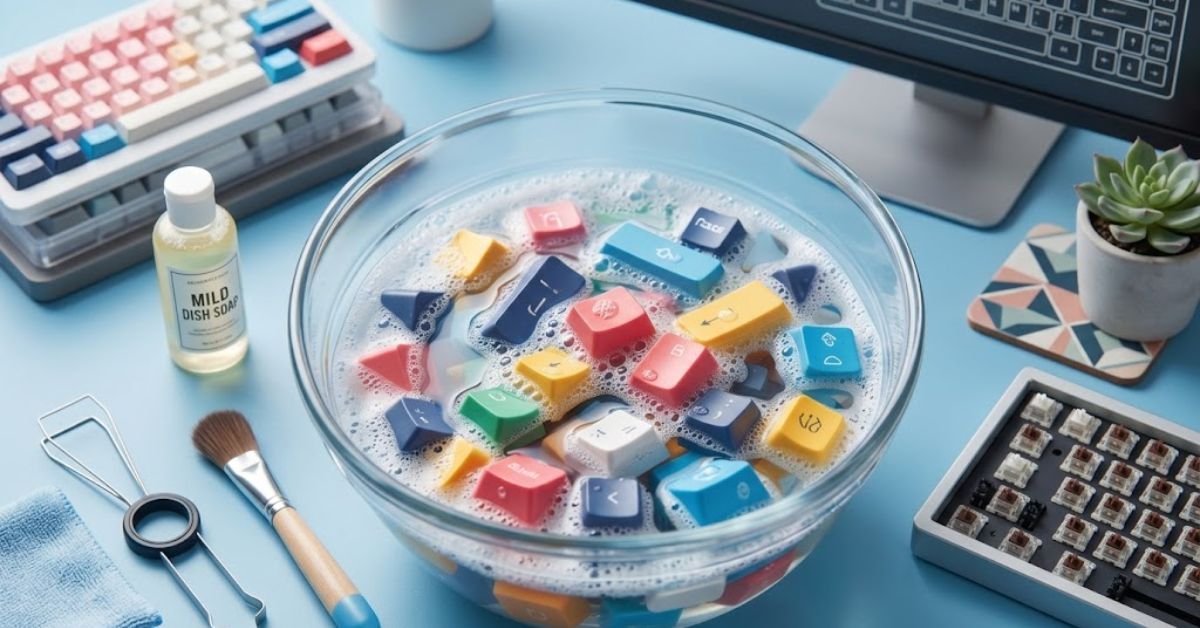
Your mechanical keyboard accumulates skin oils, dust, food crumbs, and dried sweat every time you use it. Over time, this buildup turns smooth keycaps shiny and sticky, while making your desktop setup look unhygienic.
Learning how to clean keycaps without damaging their plastic legend prints or stem housing is straightforward when you use the right tools and temperatures. This guide covers deep soaking, quick surface maintenance, and plastic-specific safety rules for ABS, PBT, and artisan keycaps.
Keycap Cleaning Methods Compared
Before pulling your keys off, determine whether your keyboard needs a routine surface refresh or a full bath.
| Cleaning Method | Best For | Time Required | Risk Level |
| Deep Water Soak | Heavy grime, oils, dirt, sticky spills | 2 to 4 hours (drying time included) | Low (Safe for ABS and PBT) |
| Damp Microfiber Wipe | Daily maintenance, light finger oils | 5 minutes | Very Low |
| Isopropyl Alcohol (IPA) | Spot sanitization on PBT caps | 10 minutes | High (Damages ABS & painted caps) |
| Ultrasonic Cleaner | Complex mechanical keyboard collections | 20 minutes | Medium (Can break fragile stems) |
Essential Supplies Checklist
Gather your tools before starting to prevent keycaps from rolling off your desk or getting lost.
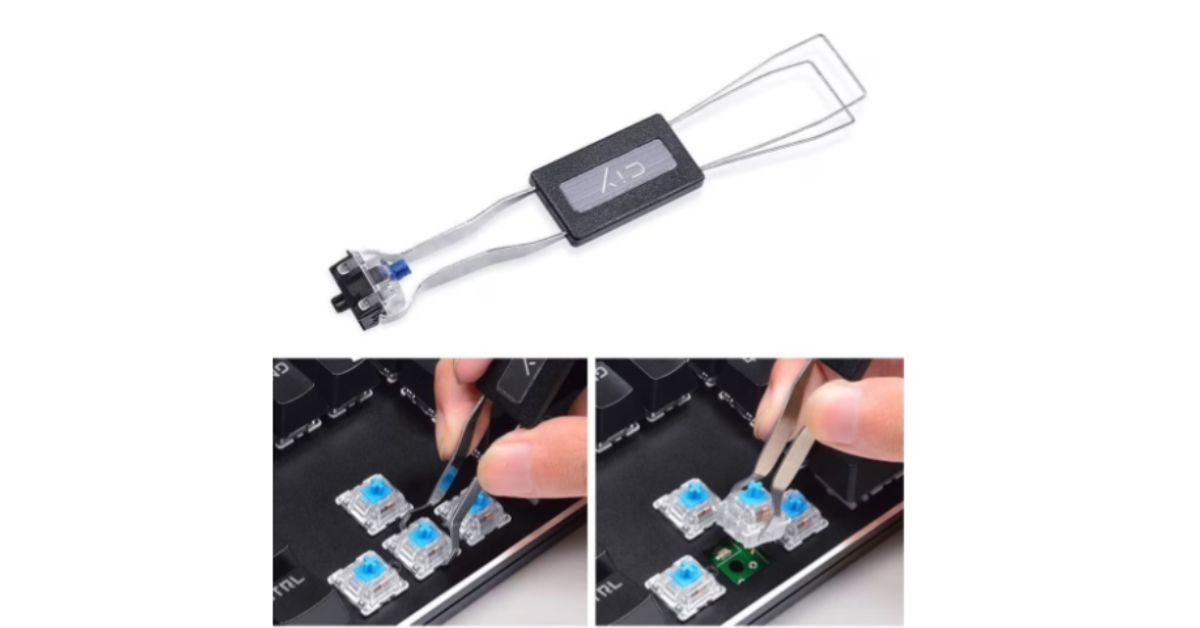
- Wire keycap puller: Wire pullers slide past keycap edges safely. Avoid cheap plastic ring pullers because they scratch keycap sides.
- Warm water container: A large mixing bowl or clean sink basin.
- Mild dish soap: Standard Dawn or basic dish soap breaks down finger oils without degrading plastics.
- Microfiber cloths: Soft, lint-free towels for scrubbing and drying.
- Soft-bristle toothbrush: Essential for scrubbing textured legend grooves on PBT caps.
- Smartphone: To snap a quick reference photo of your layout before pulling keys.
How to Deep Clean Keycaps Step-by-Step
A full water soak remains the safest way to strip stubborn oils and residue from mechanical keycaps.
1.Take a Layout Photo & Unplug Keyboard:Prerequisite step before keycap removal.
Unplug your keyboard or turn off its wireless toggle. Take a clear overhead photo of your layout so you can reinstall keycaps in their exact locations later.
2.Safely Remove All Keycaps:Prevents stem snapping on switch housings.
Push your wire puller gently over the keycap until both wires hook beneath the bottom edges. Pull straight up with firm, steady pressure. Do not twist or angle the puller, or you risk snapping the switch stem. For long keys like Spacebar or Shift, lift carefully from the center to clear stabilizer inserts.
3.Prepare Warm Soap Bath:Water temperature rule: Keep under 110°F / 43°C.
Fill a bowl with warm water and add 3-5 drops of dish soap. Mix until small bubbles form. Never use boiling water, as high heat warps thin ABS plastic stems permanently.
4.Soak and Scrub Keycaps:15 to 30 minute soak time.
Submerge all keycaps completely and let them soak for 30 minutes. Swish them around using your hand. Use a soft-bristle toothbrush to gently scrub stubborn oil spots along the top surfaces and side profile edges.
5.Rinse thoroughly and Air Dry:Critical step to prevent internal switch shorts.
Rinse keycaps under cold tap water to wash away all soap suds. Lay keycaps underside-down on a fresh towel. Let them air dry for at least 12 to 24 hours. Verify stem cavities are completely dry before reinstalling to prevent moisture from entering your mechanical switches.
ABS vs. PBT Keycap Care Rules
Plastic types dictate what chemicals you can safely apply during cleaning.
+-----------------------------------------------------------------------+
|                         KEYCAP PLASTIC TYPES                          |
+-----------------------------------+-----------------------------------+
|               ABS                 |               PBT                 |
|  - Shiny appearance over time     |  - Textured, matte surface        |
|  - Soluble in Isopropyl Alcohol   |  - Resistant to most solvents     |
|  - Warps easily in hot water      |  - Handles warm water & soap well |
|  - Soap + warm water ONLY         |  - Safe for IPA spot cleaning     |
+-----------------------------------+-----------------------------------+
ABS (Acrylonitrile Butadiene Styrene) keycaps are softer and prone to wear shine. Never use isopropyl alcohol or harsh solvents on ABS keycaps, as alcohol melts ABS plastic, causing cloudiness and destroying legend prints.
PBT (Polybutylene Terephthalate) keycaps are denser, heat-resistant, and chemically stable. They can handle light rubbing with 70% isopropyl alcohol for spot disinfection, though warm soapy water remains the best primary choice.
Cleaning the Keyboard Board Plate & Switches
Cleaning your keycaps won’t matter if you snap them back onto a filthy switch plate.
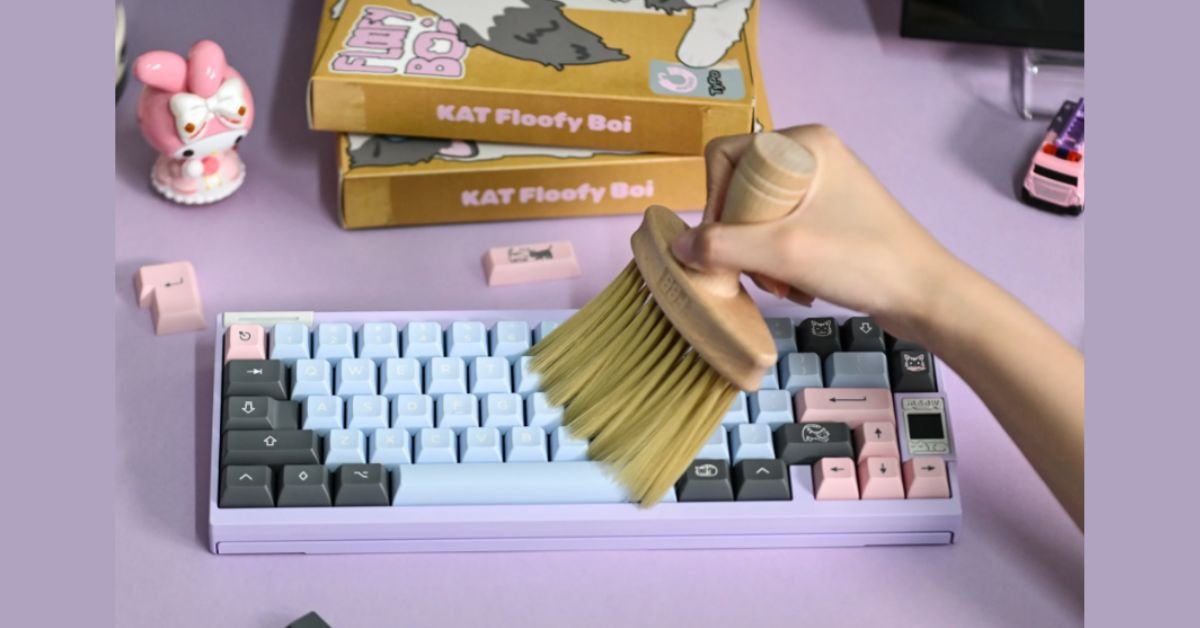
While keycaps dry, tilt your keyboard upside down over a trash bin and tap the back gently. Use compressed air canisters to blow out trapped hair and dust between switches. Wipe down the top plate using a microfiber cloth lightly dampened with 70% isopropyl alcohol, ensuring no liquid drips inside switch housings.
FAQs
How to clean keycaps reddit?
Answer: The consensus across r/MechanicalKeyboards is the Warm Soap Bath. Soak keycaps in warm water with a few drops of dish soap for 30 minutes, scrub lightly with a soft toothbrush, rinse, and let air dry for 24 hours on a towel. Reddit users strictly warn against hot water (warps stems) and rubbing alcohol on ABS plastic (causes melting/clouding).
How to clean keyboard keycaps MacBook?
Answer: Apple explicitly recommends never removing MacBook keycaps yourself, as the delicate butterfly or scissor switches underneath easily snap. Instead, hold the MacBook at a 75-degree angle and blow compressed air across the keys in a zig-zag pattern. Wipe the tops using a microfiber cloth lightly dampened with 70% isopropyl alcohol or water.
How to clean keyboard without keycaps?
Answer: Unplug the keyboard, flip it upside down, and tap the back to drop loose debris. Spray compressed air between the switch gaps at an angle to dislodge trapped hair and crumbs. Finish by running an isopropyl-dampened microfiber cloth or cotton swab along the top plate and between the key gaps without saturating the switches.
Clean your keycaps roblox?
Answer: This refers to the popular Roblox experience “Clean Your Keycaps!” (or similar cleaning simulators) where players virtually wash, organize, and customize mechanical keycaps. To play efficiently, focus on upgrading your cleaning spray speed and automatic dry racks early to clear higher-tier keycap sets faster.
How to clean under keycaps?
Answer: Remove keycaps using a wire puller, then use a soft brush or compressed air to sweep out dust from the switch plate. For stubborn grease buildup around switch housings, dip a Q-tip in 70% isopropyl alcohol (squeeze out excess liquid so it isn’t dripping) and carefully detail the metal or plastic plate around the switches.
How to dry keycaps fast?
Answer: Shake each keycap vigorously over a towel to fling out water trapped inside the stem cross-cavity. Place keycaps stems-up on a towel and set a desktop fan on low speed blowing directly across them. This drops drying time from 24 hours to 2-4 hours. Never use a hair dryer or oven, as heat will warp plastic keycaps instantly.?
read more: MageGee Keyboard Software: 2026 Guide to Setup, Features, and Troubleshooting/GFXRobotection AI Software by GFXMaker: A Complete Guide to Protecting Your Digital Art
