
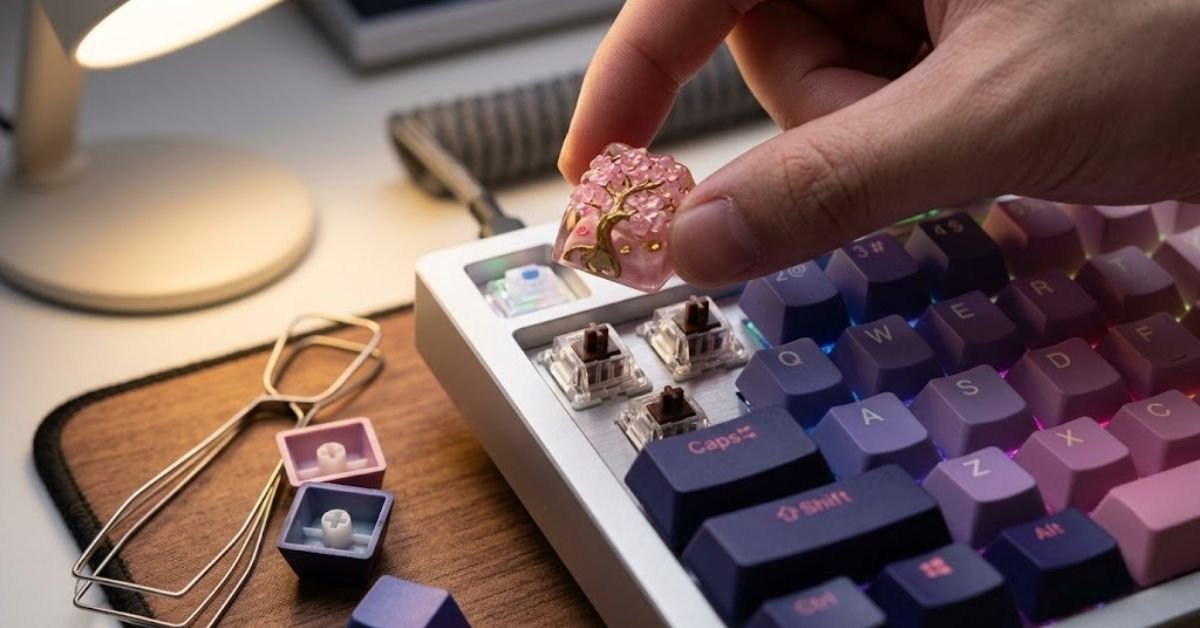
You’ve decided to upgrade your keyboard’s keycaps, and every product listing says “Cherry MX compatible.” But what does that actually mean, and how do you avoid buying a set that looks great in photos and doesn’t fit your board?
Cherry MX keycaps refer to any keycap set built around the cross-shaped (+) stem mount that Cherry MX switches use. That single detail is why this term shows up on thousands of keycap sets, even ones that have nothing to do with the Cherry brand itself.
This guide breaks down everything that actually matters before you buy stem compatibility, materials, profiles, layout sizing, and the mistakes that lead to keycaps that arrive and don’t quite work.
What “Cherry MX Compatible” Actually Means
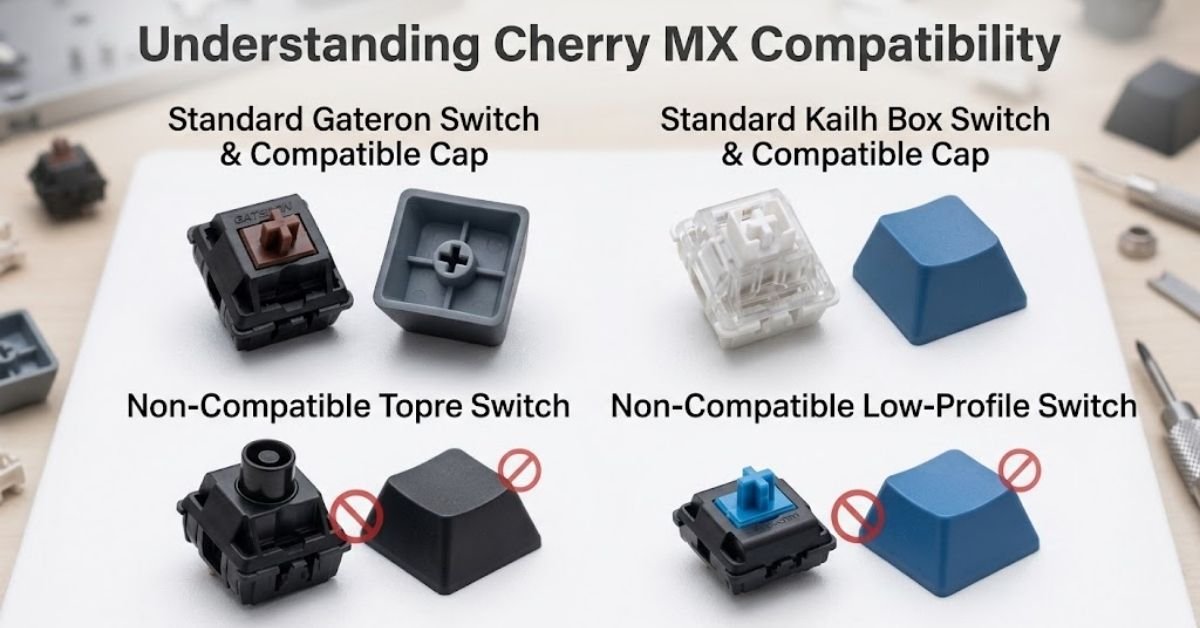
The term describes the mount, not the manufacturer. Cherry MX switches use a cross-shaped stem, and any keycap with a matching cross-shaped socket on its underside will physically seat onto that switch.
This is why Cherry MX keycaps work on far more than actual Cherry-branded switches. Gateron, Kailh, Outemu, and most other mechanical switch brands copied the same cross-stem design, so keycaps sold as “Cherry MX compatible” will fit all of them.
This is not universal, though. Two major switch families break the pattern:
- Topre switches use a circular stem, not a cross. Standard MX keycaps won’t seat properly without an adapter, and adapters introduce wobble.
- Low-profile switches (like Cherry MX Low Profile or Kailh Choc) use shorter stems and different housings. Standard-height MX keycaps physically won’t sit right on these.
If your keyboard uses standard mechanical switches from any of the common brands, you’re almost certainly in Cherry MX territory and the aftermarket keycap market is wide open to you.
Quick Compatibility Check
Before buying anything, confirm which category your keyboard falls into.
| Switch Type | Stem Shape | MX Keycap Compatible? |
|---|---|---|
| Cherry MX (all colors) | Cross (+) | Yes |
| Gateron | Cross (+) | Yes |
| Kailh (standard) | Cross (+) | Yes |
| Outemu | Cross (+) | Yes |
| Zealios / Zeal switches | Cross (+) | Yes |
| Topre | Circular | No (adapter required, adds wobble) |
| Low-profile / Choc switches | Shortened cross | No (needs low-profile-specific caps) |
| Membrane / rubber dome | No discrete switch | No |
If you’re not sure what switch your board uses, pull one keycap off with a keycap puller and look at the stem. A visible plus-sign shape confirms MX compatibility instantly, no research required.
ABS vs. PBT: The Material Decision That Matters Most
Once compatibility is confirmed, material is the next decision, and it affects how the keyboard feels and sounds far more than most buyers expect.
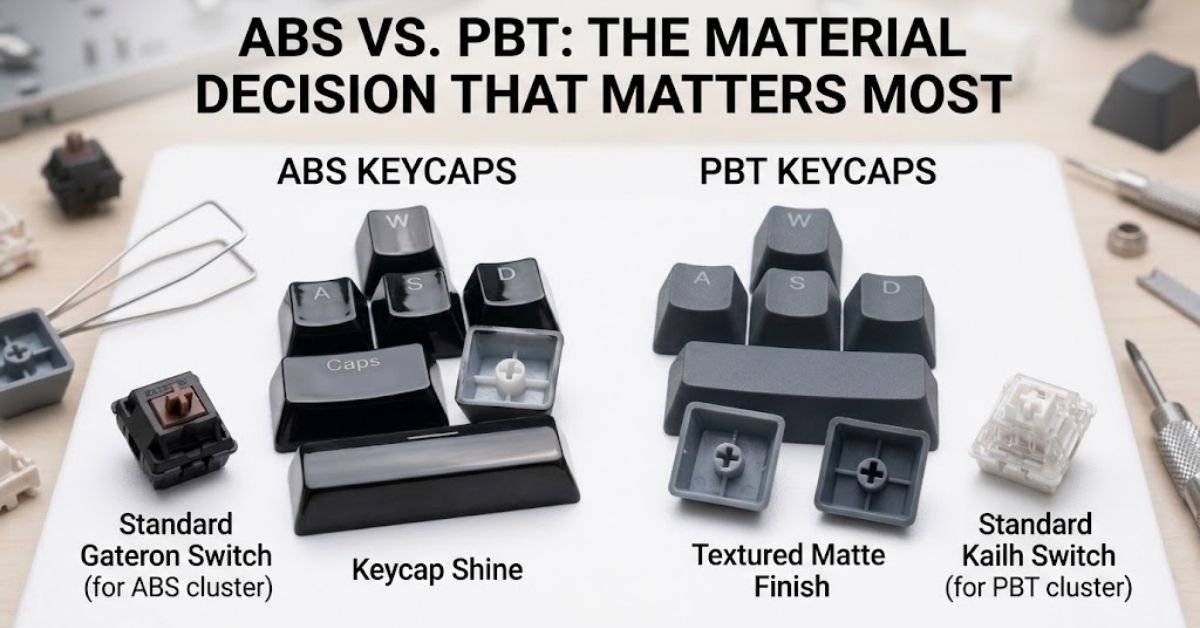
ABS is smoother, cheaper, and gets shiny with wear. The oils from your fingers slowly polish the surface of ABS keycaps, especially on keys you hit constantly WASD, space bar, and the home row. Within a year or two of daily use, that shine becomes visible.
PBT is more textured, more resistant to wear, and holds up to heat better. It won’t develop the same greasy shine, and it tends to produce a slightly deeper, more solid sound when you bottom out a keystroke.
| Factor | ABS | PBT |
|---|---|---|
| Feel | Smooth, slightly slippery over time | Textured, grippy |
| Shine over time | Yes, noticeably | Minimal to none |
| Sound profile | Higher-pitched, “clacky” | Deeper, more “thocky” |
| Cost | Generally cheaper | Generally more expensive |
| Legend durability (double-shot) | Very durable | Very durable |
| Heat/chemical resistance | Lower | Higher |
| Best for | Budget builds, colorful designs | Daily drivers, long-term use |
Neither material is objectively wrong. If you like a lighter, higher-pitched sound and don’t mind replacing caps every couple of years, ABS is a legitimate choice, not just a downgrade.
The Legend Question: How the Text Is Applied
Material aside, how the legends (the letters and symbols) are applied changes durability just as much.
Double-shot molding fuses two layers of plastic together, so the legend is part of the actual keycap structure. It won’t wear off, ever, because there’s no printed layer sitting on top to rub away.
Dye-sublimation infuses ink into PBT plastic, making it durable but limited mostly to dark legends on light caps (or vice versa) since the process depends on color penetration.
Pad printing and UV printing are the cheapest methods, and they’re also the ones that fade or chip with heavy use. If a keycap set feels suspiciously affordable for a full 100+ key set with elaborate multi-color designs, this is usually why.
Keycap Profiles: Why Height and Shape Matter
Profile refers to the sculpted shape and height of the keycap, and it changes both how your fingers land on the keys and how the board looks. This is separate from material and separate from stem compatibility — a set can be Cherry MX compatible in any profile.
Cherry profile is one of the most popular choices in the enthusiast space. It’s shorter than OEM (the standard height on most off-the-shelf boards), with each row sculpted at a slightly different angle to match natural finger curvature.
Other common profiles you’ll run into:
- OEM — the standard profile on most pre-built mechanical keyboards, medium height, moderately sculpted
- SA — tall, deeply sculpted, distinctive retro look, heavier feel per keystroke
- DSA / XDA — flat, uniform height across every row, popular for minimalist builds and easy keycap remapping
- MDA — a shorter, less aggressive sculpt than SA, splitting the difference between comfort and vintage aesthetics
Mixing profiles across rows is technically possible since they all use the same MX stem, but it creates an uneven typing surface. A full set built for one profile is the safer choice for anyone using the keyboard daily rather than displaying it.
Layout Sizing: The Mistake That Ruins Most First-Time Purchases
This is where most keycap orders go wrong, and it has nothing to do with the switch stem. Keycap sets need to match your keyboard’s physical layout, not just its switch type.
A 60% keyboard, a TKL (tenkeyless), and a full-size board all have different bottom row configurations, different spacebar widths, and sometimes different-sized modifier keys (Shift, Ctrl, Alt, Enter).
Before ordering, check:
- Your keyboard’s layout (60%, 65%, 75%, TKL, full-size, or a custom split/ergo layout)
- Whether you’re on ANSI or ISO (ISO Enter and Shift keys are shaped and sized differently)
- Your spacebar width (some boards use non-standard split spacebars)
- Whether the set you’re buying includes the extra keycaps for non-standard bottom rows
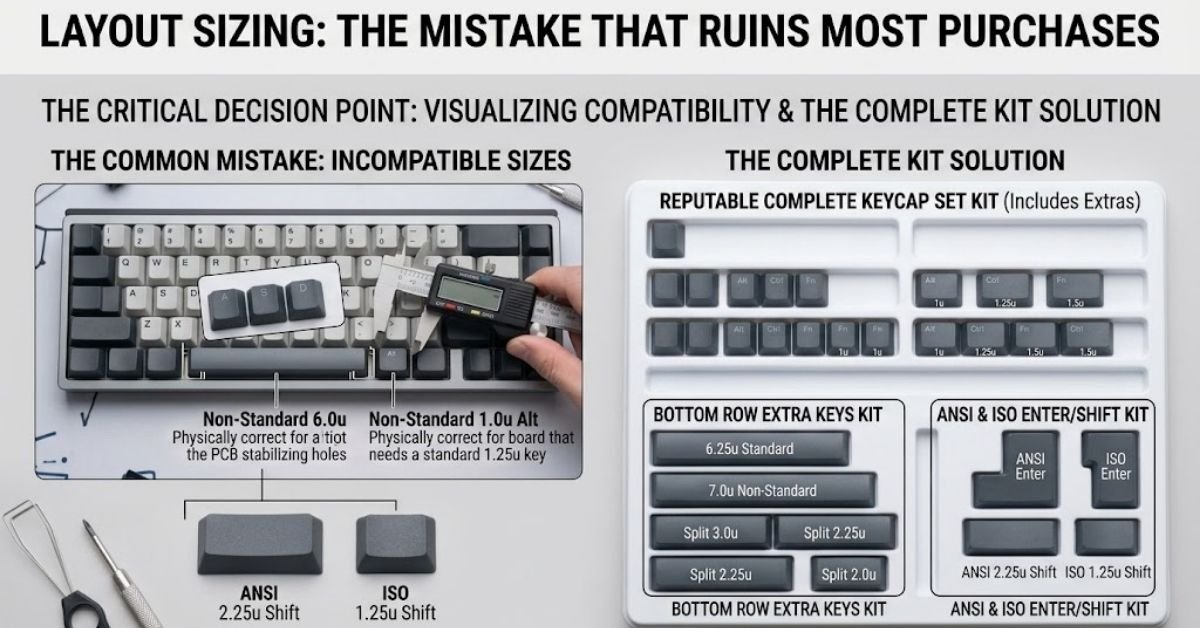
Reputable keycap sets solve this by including a large kit of extra keys — multiple spacebar sizes, both ANSI and ISO Enter/Shift options, and alternate bottom-row keys. Check the product listing’s included key count and layout diagram before buying, not just the color scheme photos.
Real-World Troubleshooting: When New Keycaps Don’t Fit Right
Even with a compatible set, a few common problems show up after installation. Here’s how to diagnose them.
Problem: A keycap feels loose or wobbly after installing. This is almost always a stabilizer issue, not a keycap issue, on larger keys like Shift, Enter, and Spacebar. These keys use a stabilizer wire in addition to the switch, and stock stabilizers are notoriously rattly. Lubricating the stabilizers or upgrading to a better stabilizer set solves this far more reliably than swapping keycaps again.
Problem: A keycap won’t seat flush, sitting slightly crooked. Check the stem alignment before forcing it. Pressing a misaligned cross-stem cap down at an angle can crack the internal ribs of the keycap. Line it up straight over the switch stem first, then press down evenly.
Problem: Legends look misaligned or crooked after installation. Some keycap sets, especially cheaper pad-printed ones, have inconsistent legend centering from the factory. This isn’t a compatibility problem — it’s a manufacturing quality issue, and it’s one more reason double-shot sets from established brands are worth the extra cost.
Problem: RGB backlighting looks dim or uneven under new caps. Thicker or non-shine-through keycaps block more light than the stock caps did. If backlighting matters to you, look specifically for keycap sets marketed as “shine-through” — these use translucent legends designed to let LED light pass through clearly.
How to Actually Install Cherry MX Keycaps
Do this in order to avoid damaging switches or stems:
- Power off and unplug the keyboard before removing any keycaps
- Use a wire keycap puller rather than a plastic ring puller — wire pullers grip the cap’s sides instead of pinching the top, reducing scratch risk
- Hook both wire loops under opposite corners of the keycap and pull straight up, evenly
- For larger stabilized keys (Space, Shift, Enter), remove the keycap first, then check the stabilizer wire is seated correctly before installing the new cap
- Press new keycaps straight down onto each switch stem — don’t twist or angle them
- Test every key after installation, since a partially seated keycap will still visually look fine but may feel mushy or fail to register properly
Frequently Asked Questions
Are all Cherry MX keycaps the same?
No, while they share the same cross-shaped stem, they differ in material (ABS vs. PBT), height profiles, and physical layout sizes (like spacebar and Enter key dimensions).
Is Cherry MX still popular?
Yes, Cherry MX remains the benchmark standard in mechanical keyboards, and its cross-stem design is used by almost all major aftermarket keycap makers.
Which keycaps are compatible with Cherry MX switches?
Any keycap set built with a cross-shaped (+) socket on the underside—including standard aftermarket sets designed for Gateron, Kailh, and Outemu switches—is compatible.
Are CHERRY Profile keycaps good?
Yes, Cherry profile keycaps are highly praised by typing enthusiasts for their comfortable, lower-than-OEM sculpted height that matches natural finger movement.
Is MOA or Cherry better?
Cherry profile is better for daily typing speed and ergonomic comfort due to its sculpted rows, whereas MOA profile is better if you prefer flat, uniform key heights with rounded aesthetics..
read more: How Many Keys on a Full Size Keyboard? (2026 Guide)/How to Clean Keycaps Safely Without Ruining Plastics
