
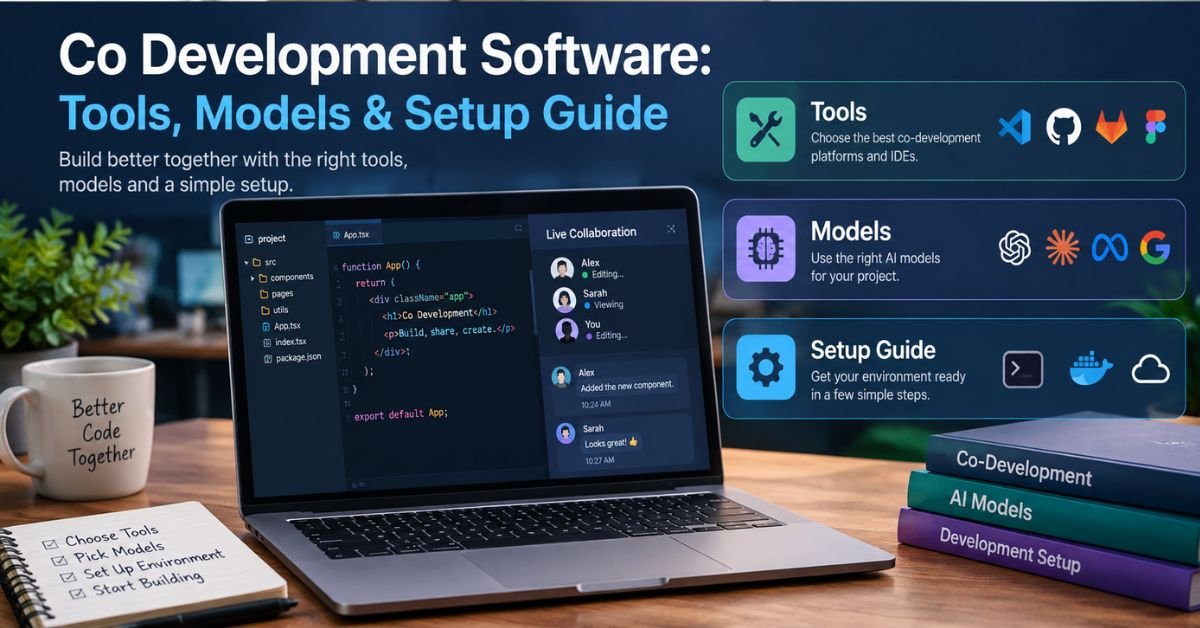
Search “co development software” and you’ll find two different things mixed together. Some results cover tools that let developers write code together, like shared editors and cloud workspaces. Others cover the co-development model, where two companies jointly build a software product.
Both are legitimate, and most real projects need both. This guide covers each meaning, compares the tools and models, and gives you a checklist for choosing and running a setup that works.
What Is Co Development Software?
Co development software is any tool, platform, or delivery model that lets multiple people or organizations build software together with shared ownership of the outcome. The “co” matters. Unlike outsourcing, where one party hands off requirements and waits for a deliverable, co-development means both sides contribute code, decisions, and risk.
In practice, the phrase refers to two layers:
- Tooling layer: real-time editors, cloud development environments, version control, and review systems that let people work on the same codebase at the same time.
- Engagement layer: a partnership structure, such as a joint venture or a shared product roadmap, where two teams build one product together.
Confusing the layers is the most common mistake. The best collaboration tool won’t fix a partnership with unclear ownership. A well-structured partnership will stall if the teams can’t share an environment.
Why Teams Use Co-Development
The appeal is speed and shared expertise. A startup with a strong product idea may lack security or infrastructure skills. An enterprise may have the data and domain knowledge but not enough engineers. Co-development lets each side supply what the other lacks.
Common scenarios include:
- Product companies pairing with a specialist vendor to build a new module.
- Two businesses building an integration or shared platform.
- Internal teams across time zones working in one codebase.
- Agencies and clients where the client’s engineers stay hands-on.
- Open-source contributors and maintainers working on one project.
The Two Main Types of Co Development Software
Real-Time Collaborative Coding Tools
These let two or more developers edit the same code together, similar to a shared document. They suit pair programming, onboarding, live debugging, and code walkthroughs.
Typical features include:
- Shared cursors and simultaneous editing
- Shared terminals and debugging sessions
- Voice or text chat inside the editor
- Guest access without a full local setup
Examples in this category include Visual Studio Live Share, Replit, and other browser-based editors. Product lineups change often, so check each vendor’s current status and pricing before committing.
Cloud Development Environments (CDEs)
A cloud development environment runs your full dev setup on a remote server, accessed through a browser or thin client. Everyone gets the same configuration, dependencies, and tooling.
This solves the “works on my machine” problem, which gets worse when partner companies bring different laptops, operating systems, and security policies. GitHub Codespaces, Gitpod, and similar platforms fall into this category.
Platform and Workflow Tools
The tools that hold a co-development project together are usually not editors at all:
- Version control and code review: GitHub, GitLab, or Bitbucket, with protected branches and required reviews.
- Issue tracking: Jira, Linear, or GitHub Issues, with a shared backlog.
- CI/CD pipelines: automated tests and builds that both teams trust.
- Documentation: a shared wiki or docs-as-code repo.
- Communication: Slack or Teams channels shared between organizations.
Comparison: Which Type of Tool Fits Which Job?
| Tool Type | Best For | Strengths | Limitations |
| Real-time collaborative editors | Pair programming, mentoring, live debugging | Immediate feedback, low friction | Not built for long-term parallel work; latency on weak connections |
| Cloud development environments | Standardized setups across teams and companies | Fast onboarding, consistent builds, less local security risk | Ongoing hosting cost; needs a decent internet connection |
| Git-based workflows | Asynchronous work across time zones | Full history, review gates, clear ownership | Merge conflicts if branching is sloppy |
| Shared project management | Roadmap and backlog alignment | Transparency for both organizations | Overhead if over-configured |
Most mature teams combine all four. They use Git as the source of truth, a CDE for consistency, a live editor for pairing, and one shared board for planning.
The Co-Development Model vs. Outsourcing vs. In-House
If you’re evaluating co-development as a delivery model, this comparison helps.
| Factor | In-House | Outsourcing | Co-Development |
| Control | Full | Limited to specs and milestones | Shared, defined by contract |
| Speed to start | Slow (hiring) | Fast | Fast to moderate |
| Cost structure | High fixed cost | Project or hourly fee | Shared investment, sometimes shared revenue |
| Knowledge retention | Stays with you | Often leaves with the vendor | Shared between both teams |
| IP ownership | Yours | Usually yours, per contract | Must be negotiated explicitly |
| Risk | Yours | Mostly the vendor’s for delivery | Split between both parties |
Co-development wins when you need deep domain knowledge from both sides and want to retain skills after launch. Outsourcing wins when requirements are stable and you want a clean handoff.
Pros and Cons of Co-Development
Advantages:
- Faster delivery by combining complementary skills.
- Lower risk per party, since cost and effort are shared.
- Better knowledge transfer, because your engineers work alongside experts.
- Higher product fit, since both sides shape the product.
Disadvantages:
- IP ambiguity if ownership isn’t settled in writing before work starts.
- Slower decisions when two organizations must agree.
- Cultural friction around processes, code standards, and release cadence.
- Security exposure, since more people touch sensitive systems.
None of these are dealbreakers. Each becomes a problem only when nobody plans for it.
How to Choose Co Development Software: A Practical Checklist
Use this before you commit to a stack or a partner.
Security and access
- [ ] Supports single sign-on and role-based permissions
- [ ] Lets you grant and revoke access per repository, not per organization
- [ ] Provides audit logs of who accessed or changed what
- [ ] Meets your compliance needs (SOC 2, HIPAA, or others, if relevant)
Workflow fit
- [ ] Integrates with the Git host and CI system you already use
- [ ] Works acceptably on your slowest team member’s connection
- [ ] Supports your languages, frameworks, and debugging tools
- [ ] Lets guests join without a heavy local install
Cost and scale
- [ ] Pricing stays predictable as headcount grows
- [ ] Idle environments shut down automatically (CDE compute costs add up)
- [ ] You can export your data and configuration if you switch vendors
Governance (for partnership models)
- [ ] IP ownership defined in writing before the first commit
- [ ] Clear decision rights for architecture and scope changes
- [ ] Agreed code standards, review rules, and definition of done
- [ ] An exit clause covering code, data, and documentation handover
How to Set Up a Co-Development Workflow That Works
1. Fix the source of truth first. Pick one repository host and one branching strategy. Trunk-based development with short-lived branches causes fewer merge headaches than long-running feature branches shared between companies.
2. Standardize the environment. Use a dev container or CDE configuration stored in the repo. New contributors should go from invitation to running code in under an hour.
3. Make code review rules explicit. Require at least one reviewer from the other organization on shared modules. This spreads knowledge and catches assumptions early.
4. Automate the boring checks. Linting, tests, and security scans should run in CI so reviewers focus on design, not formatting.
5. Hold a short weekly sync. Keep it to 30 minutes on blockers, upcoming merges, and scope changes. Long status meetings kill momentum.
6. Document decisions as you go. Keep a lightweight decision log in the repo. Six months later, nobody remembers why you chose a queue over a webhook.
Troubleshooting Common Co-Development Problems
Merge Conflicts Keep Piling Up
Cause: Branches live too long, or two teams edit the same files.
Fix: Shorten branch lifetimes to a few days. Assign module ownership so each team mostly works in its own area. Merge from the main branch daily.
Live Sessions Lag or Disconnect
Cause: Weak bandwidth, a distant server region, or a VPN adding latency.
Fix: Choose a CDE region close to most of the team. Test with and without the VPN. For unstable connections, switch to asynchronous pairing using screen recordings and pull-request comments.
“It Works on My Machine” Bugs
Cause: Different OS versions, dependency versions, or environment variables.
Fix: Pin dependencies with a lockfile, ship a dev container definition, and keep secrets in a managed vault rather than in local files.
Partner Team Can’t Access What They Need
Cause: Permissions granted too narrowly or too broadly.
Fix: Create a dedicated team or group for the partner, scoped to specific repos. Review access monthly and remove people who have rolled off.
Disputes Over Who Owns the Code
Cause: No written IP agreement, or a vague one.
Fix: Stop and get legal counsel involved. Before writing any shared code, agree on ownership of the joint work and any pre-existing code each side brings. Also settle licensing and what happens if the partnership ends. This article isn’t legal advice, and an attorney should draft these terms.
Quality Varies Between Teams
Cause: Different standards and no shared definition of done.
Fix: Adopt one style guide, one test coverage expectation, and one pull request template. Enforce them in CI instead of relying on goodwill.
Security Considerations You Shouldn’t Skip
Shared codebases expand your attack surface. A few habits reduce the risk substantially:
- Enforce multi-factor authentication for every contributor, including partner staff.
- Use least-privilege access. Nobody needs production credentials to write a feature.
- Scan for leaked secrets on every commit with automated tooling.
- Separate environments. Partners work in staging or sandbox systems, not live customer data.
- Log and review access. Audit trails matter most when something goes wrong.
Real-World Example: A Two-Company Integration Build
Consider a logistics software company partnering with a payments provider to build a shared checkout module. Neither could build it alone: one knew shipping rules, the other knew payment compliance.
They set up one repository with module-level code owners, a shared CDE configuration, and a joint backlog. Each company reviewed the other’s pull requests on the boundary code. The IP agreement, signed before development, gave each side ownership of its contributions and a license to the joint module.
The result was faster than either estimate for going solo. The main friction, mismatched release schedules, was solved by agreeing on a monthly shared release train.
When Co-Development Is the Wrong Choice
Skip it if:
- Your requirements are fixed and simple. A standard outsourcing contract is cheaper and cleaner.
- You can’t dedicate engineers to work alongside the partner.
- Trust is low, or the partner competes directly with you in the same market.
- Your compliance rules prevent external access to the codebase.
FAQ
1. What are the top 5 collaboration tools?
Slack (team chat), Microsoft Teams (chat plus meetings), Notion (docs and wikis), Jira or Asana (task tracking), and GitHub (code collaboration). Most teams pair a chat tool with a tracker and a shared knowledge base.
2. What is co-development?
Co-development is a joint build model where two or more teams or companies share engineers, decisions, costs, and risk to create one software product. Unlike outsourcing, both sides contribute code and keep the knowledge afterward. Ownership of the code should be settled in writing before work starts.
3. What tools are used in SDLC?
Each stage has its own tools:
- Planning: Jira, Linear, Trello
- Design: Figma, Miro
- Coding: VS Code, IntelliJ, Git
- Building and CI/CD: GitHub Actions, GitLab CI, Jenkins
- Testing: Selenium, Cypress, JUnit
- Deployment and monitoring: Docker, Kubernetes, Datadog
4. What is the best collaborative coding platform?
For most teams, GitHub is the strongest all-round choice, since it combines version control, pull request reviews, and cloud workspaces (Codespaces) in one place. For live pair programming, VS Code Live Share is a lightweight option. The best pick depends on whether you need asynchronous review or real-time editing.
5. What are some good collaborative software tools?
- GitHub / GitLab: shared code and reviews
- VS Code Live Share: real-time pairing
- Codespaces / Gitpod: identical cloud dev environments
- Jira / Linear: shared backlogs
- Slack / Teams: day-to-day communication
- Notion / Confluence: documentation
Features and pricing change often, so check each vendor’s current details before committing.
