Walk onto any manufacturing floor that’s still running on paper work orders and spreadsheets, and you’ll spot the same problems within an hour. A technician hunting for a machine’s repair history. A supervisor guessing at which pump is due for lubrication. A maintenance manager who can’t explain to the plant director why unplanned downtime ate 40 hours last month.
Plant maintenance software fixes this by giving every asset, work order, and technician a single digital home. This guide breaks down what the software actually does, how to pick the right one, what it costs, and the mistakes that sink most implementations.
What Is Plant Maintenance Software, Exactly?
Plant maintenance software is a digital system that tracks, schedules, and manages the upkeep of physical assets inside a facility — pumps, motors, conveyors, HVAC units, compressors, and production lines.
Most people know it by its more technical name: a Computerized Maintenance Management System (CMMS). Some vendors bundle in Enterprise Asset Management (EAM) features for larger operations with assets spread across multiple sites.
At its core, the software replaces three things that plague unmanaged maintenance operations:
- Paper work orders that get lost, illegible, or never filed
- Tribal knowledge locked in one veteran technician’s head
- Reactive firefighting instead of planned, preventive work
Who Actually Needs This Software?
Not every operation needs the same depth of functionality. Here’s a realistic breakdown.
Small facilities (under 50 assets): A lightweight CMMS with mobile work orders and basic PM scheduling usually covers it. You don’t need predictive analytics if your biggest problem is technicians forgetting to log completed work.
Mid-size manufacturers: This is where inventory management, parts tracking, and reporting dashboards start paying for themselves. You’re managing enough assets that manual tracking creates real blind spots.
Large or multi-site operations: These plants typically need EAM-level capability — capital planning, multi-site asset hierarchies, integration with ERP systems like SAP or Oracle, and often condition-based or predictive maintenance modules.
Core Features That Actually Matter
Vendors love long feature lists. Here’s what actually moves the needle on a plant floor.
Work Order Management
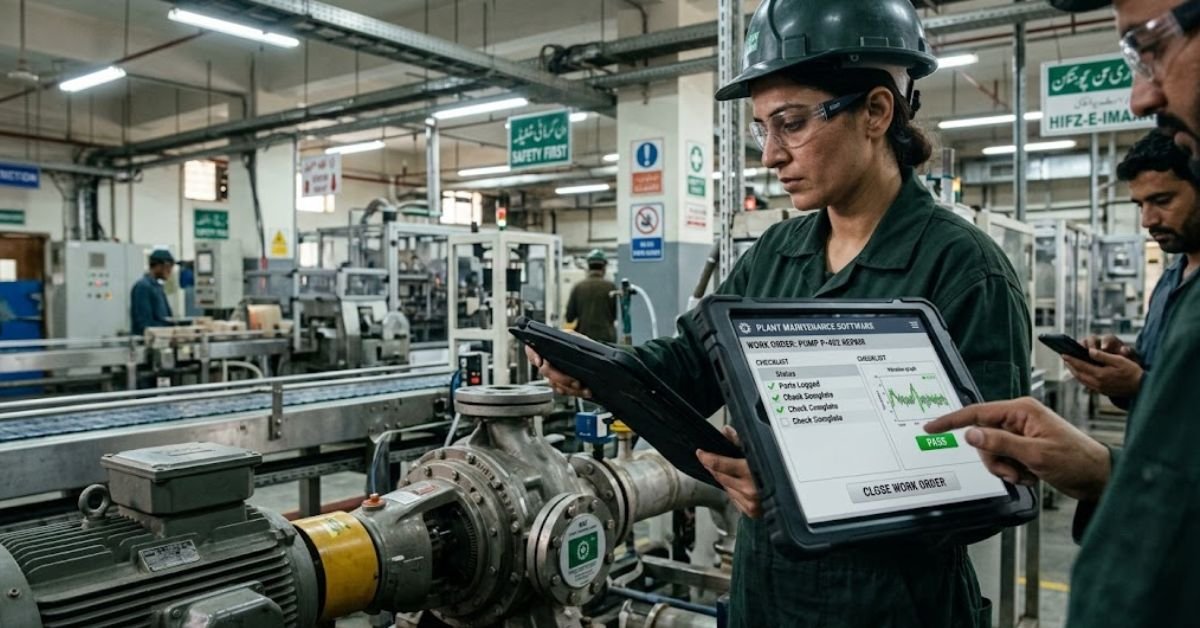
This is the operational heartbeat of the system. A technician should be able to receive a work order on a tablet or phone, see the asset’s full history, log parts used, attach a photo of the completed repair, and close it out all without walking back to an office computer.
Watch for this red flag: software that requires a desktop login to close a work order. If technicians can’t complete the loop from the floor, adoption dies within weeks.
Preventive Maintenance (PM) Scheduling
PM scheduling automatically generates work orders based on time intervals, meter readings (like runtime hours or cycle counts), or a combination of both.
A good system handles meter-based triggers — not just calendar-based ones. A conveyor that runs 20 hours a day needs different maintenance timing than one that runs 4 hours a day, even if they’re identical machines.
Asset Management and History
Every piece of equipment should have a digital record: manufacturer specs, warranty status, repair history, associated documents (manuals, wiring diagrams), and a full audit trail of every work order ever performed against it.
This matters more than people expect during root cause analysis. If a motor fails three times in six months, that pattern is invisible unless the history is centralized and searchable.
Inventory and Parts Management
Nothing stalls a repair faster than discovering the replacement bearing isn’t in stock. Inventory modules track parts on hand, reorder points, supplier information, and automatically link parts consumption to specific work orders and assets.
Mobile Access
This isn’t a nice-to-have anymore. Technicians need offline-capable mobile apps that sync once they’re back in wifi range, since plant floors, basements, and outdoor equipment yards frequently have dead signal zones.
Reporting and KPI Dashboards
The software should surface the metrics that actually matter without requiring a data analyst to build them:
- MTBF (Mean Time Between Failures)
- MTTR (Mean Time To Repair)
- PM compliance rate
- Wrench time (percentage of a technician’s shift spent on actual repair work vs. searching for parts or information)
- Backlog hours
Predictive Maintenance and IoT Integration
Higher-tier systems connect to vibration sensors, thermal cameras, or oil analysis tools to flag failures before they happen, rather than waiting for a scheduled interval or a breakdown. This is powerful, but it’s also the feature most often oversold — more on that below.
CMMS vs. EAM: What’s the Real Difference?
People use these terms interchangeably, but they’re not the same thing.
| Feature | CMMS | EAM |
|---|---|---|
| Primary focus | Maintenance work orders and scheduling | Full asset lifecycle, from purchase to retirement |
| Best for | Single-site or small multi-site operations | Large enterprises, multi-site or multi-industry operations |
| Financial tracking | Basic cost tracking per work order | Capital planning, depreciation, total cost of ownership |
| Implementation time | Weeks to a couple months | Several months to over a year |
| Typical cost | Lower, often per-user SaaS pricing | Higher, often enterprise licensing with implementation fees |
| Integration depth | Moderate — parts, sometimes procurement | Deep — ERP, finance, supply chain, HR systems |
Bottom line: if your primary pain point is “we can’t keep track of work orders and PMs,” you need a CMMS. If you’re managing capital assets across a portfolio of facilities and need financial-grade asset lifecycle data, you’re in EAM territory.
How Much Does Plant Maintenance Software Cost?
Pricing varies wildly, and vendors aren’t always upfront about the full picture. Here’s a realistic range based on typical market pricing structures.
| Tier | Typical Monthly Cost | Best For |
|---|---|---|
| Entry-level SaaS | $30–$60 per user/month | Small shops, single-site operations |
| Mid-market CMMS | $60–$150 per user/month | Growing manufacturers with multiple production lines |
| Enterprise EAM | Custom pricing, often $50,000+ annually | Large multi-site or multi-plant operations |
Costs people forget to budget for:
- Data migration from spreadsheets or a legacy system
- Initial asset tagging and barcode/QR code setup
- Training time (technicians pulled from the floor to learn the system)
- Integration work if you’re connecting to an existing ERP
- Ongoing admin time to keep the PM schedule accurate
Step-by-Step: How to Choose the Right System
Don’t start by looking at software. Start by looking at your own operation.
Step 1: Audit Your Current Maintenance Process
Before any demo, document how work actually gets requested, assigned, and closed today. Note where things break down — is it that requests get lost, that history isn’t tracked, or that parts aren’t available when needed?
Step 2: Build Your Asset List
You don’t need every asset cataloged before you buy software, but you should know roughly how many critical assets you’re managing. This determines whether you need a lightweight tool or something built for scale.
Step 3: Define Your Must-Have Features
Separate “must-have” from “nice-to-have.” A small plant chasing predictive maintenance features before it has reliable PM compliance is solving the wrong problem first.
Step 4: Test Mobile Usability With Actual Technicians
Don’t let only managers run the demo. Put the app in front of the people who’ll use it daily. If a 20-year veteran technician struggles to close a work order in the demo, that’s a preview of your adoption problem.
Step 5: Ask About Integration
Confirm the software connects with your existing ERP, accounting software, or building automation system — or that a workaround exists. Disconnected systems create duplicate data entry, which technicians will eventually stop doing.
Step 6: Run a Pilot Before Full Rollout
Roll the software out to one production line or one department first. Fix workflow issues on a small scale before asking the whole plant to adopt it.
Common Implementation Mistakes (And How to Avoid Them)
Mistake 1: Loading every asset into the system on day one. Start with critical and high-failure-rate assets. Add the rest in phases as your team gets comfortable with the workflow.
Mistake 2: Skipping technician buy-in. If the maintenance team sees the software as a management surveillance tool rather than something that makes their job easier, adoption fails. Involve technicians in the selection process, not just the rollout.
Mistake 3: Copying a broken PM schedule into the new system. Migrating a bad preventive maintenance schedule from paper to digital doesn’t fix it — it just digitizes the dysfunction. Use the migration as a chance to audit and correct PM intervals based on actual failure data.
Mistake 4: Ignoring data cleanliness. Garbage asset data in, garbage reporting out. If equipment names, locations, and IDs are inconsistent, your KPI dashboards will be unreliable.
Mistake 5: Underestimating training time. Budget real hours for training, not a 30-minute walkthrough. Technicians who don’t feel confident in the mobile app will quietly revert to paper.
Pros and Cons of Plant Maintenance Software
Pros:
- Centralizes asset history, eliminating tribal knowledge risk
- Reduces unplanned downtime through consistent PM scheduling
- Improves parts availability and reduces emergency ordering
- Provides real data for budget and staffing justifications
- Creates audit trails for safety and compliance purposes
Cons:
- Upfront time investment for asset setup and data migration
- Ongoing cost, which can be significant for larger plants
- Requires cultural change management, not just a software purchase
- Can become “shelf-ware” if adoption isn’t actively managed
- Integration with legacy equipment or older ERPs can be technically messy
Is Predictive Maintenance Worth the Extra Investment?
This deserves its own section because it’s the most oversold feature in the category.
Predictive maintenance — using sensor data to predict failure before it happens — genuinely works well for specific, well-understood failure modes on critical, expensive assets. Think large rotating equipment like turbines, compressors, or high-value motors where unplanned failure is catastrophic and costly.
It works far less well as a blanket strategy across every asset in a facility. Sensor costs, data noise, and false positives can overwhelm a maintenance team that hasn’t first mastered basic preventive maintenance.
Practical advice: get your PM compliance rate above 85–90% first. Then selectively apply predictive maintenance to your top 5–10 most critical or costly-to-fail assets, rather than trying to sensor-ize the entire plant at once.
A Realistic 90-Day Rollout Checklist
- Week 1–2: Audit current maintenance workflows and document pain points
- Week 2–3: Select software and confirm integration requirements
- Week 3–4: Import critical asset list and set up user accounts
- Week 4–6: Build initial PM schedules based on manufacturer specs and failure history
- Week 6–8: Train technicians on mobile work order workflow
- Week 8–10: Pilot on one production line or department
- Week 10–12: Gather technician feedback and adjust workflows
- Week 12+: Expand to full facility, add remaining assets in phases
Frequently Asked Questions
1. What CMMS software is best for maintenance? There is no single “best” CMMS because it depends on your operation size:
- Best Overall / Mobile-First: MaintainX and Limble CMMS (extremely user-friendly for field technicians).
- Best for Small / Growing Teams: UpKeep (great mobile asset tracking).
- Best for Industrial / Manufacturing: Fiix by Rockwell Automation (strong parts and preventive maintenance integration).
- Best for Enterprise / Multi-Site: IBM Maximo or eMaint (deep asset management and customization).
2. What are the 7 types of maintenance?
- Preventive Maintenance (PM): Scheduled upkeep based on time or usage intervals.
- Corrective / Reactive Maintenance: Fixing an asset after an unexpected failure or breakdown.
- Predictive Maintenance (PdM): Using sensors and data analytics to predict failure before it happens.
- Condition-Based Maintenance (CBM): Triggered when a measured parameter (temperature, vibration) exceeds a normal limit.
- Predetermined Maintenance: Following strict manufacturer-recommended or regulatory service schedules.
- Routine Maintenance: Simple day-to-day cleaning, inspection, or minor adjustments.
- Emergency Maintenance: Immediate response work required to address safety risks or catastrophic plant stops.
3. What is the best software for maintenance management? If you need comprehensive Maintenance Management (combining work orders, inventory, financial tracking, and equipment lifecycles):
- MaintainX or Limble CMMS for pure ease-of-use and fast adoption.
- Fiix or eMaint for mid-to-large operations needing inventory and analytics.
- SAP PM or IBM Maximo if you require full enterprise asset management integrated into company-wide ERP.
4. What is plant maintenance in SAP? In SAP, Plant Maintenance (SAP PM) is a module within the SAP ERP suite designed to handle all maintenance activities within a business. It links equipment maintenance directly to supply chain, inventory, procurement, and accounting functions, covering three key areas:
- Inspection (determining the current status of physical assets)
- Prevention (scheduling routine maintenance work)
- Repair (restoring assets to working condition)
5. What is SAP full form? SAP stands for Systems, Applications, and Products in Data Processing (originally in German: Systemanalyse Programmentwicklung).
Read More: How to RDP to an Intune Device (Full 2026 Fix Guide)/Advertising FeedBuzzard: Strategy & ROI Guide