
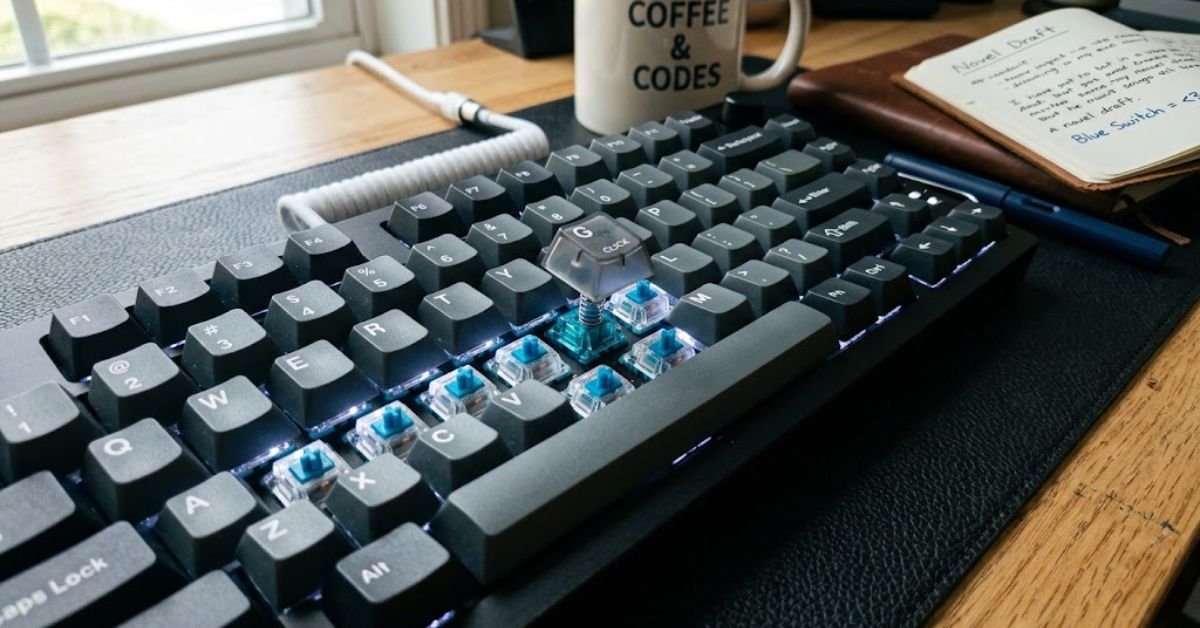
Blue switches are the loudest, clickiest mechanical keyboard switches you can buy and that’s exactly why people either love them or can’t stand them. If you’ve ever heard someone typing in an office and thought “that sounds like a typewriter,” you’ve heard blue switches in action.
This guide breaks down everything you need to know before you buy: how they work, who they’re actually good for, and which specific switches and keyboards are worth your money in 2026.
What Are Blue Switches, Exactly?
Blue switches are clicky mechanical keyboard switches that give you both a tactile bump and an audible click every time you press a key. That click isn’t just noise for the sake of noise it’s a physical mechanism inside the switch called a “click jacket” that snaps against the switch housing to produce the sound.
Cherry MX Blue is the original and most famous version, but nearly every switch manufacturer now makes its own take: Kailh Blue, Gateron Blue, Razer Green (yes, green Razer just renamed it), and Outemu Blue, among others.
How the Click Actually Works
Inside a blue switch, a small plastic piece called the click jacket rides along the stem as you press down. When it hits a specific point, it releases and slaps against the switch housing, creating that signature “click-clack” sound.
This happens on the way down (actuation) and again on the way up (reset) which is why blue switches sound different from browns or reds, which are silent in both directions.
Blue Switches vs. Brown vs. Red: The Real Differences
People often ask “should I get blue, brown, or red switches” without realizing these three cover completely different use cases. Here’s the breakdown.
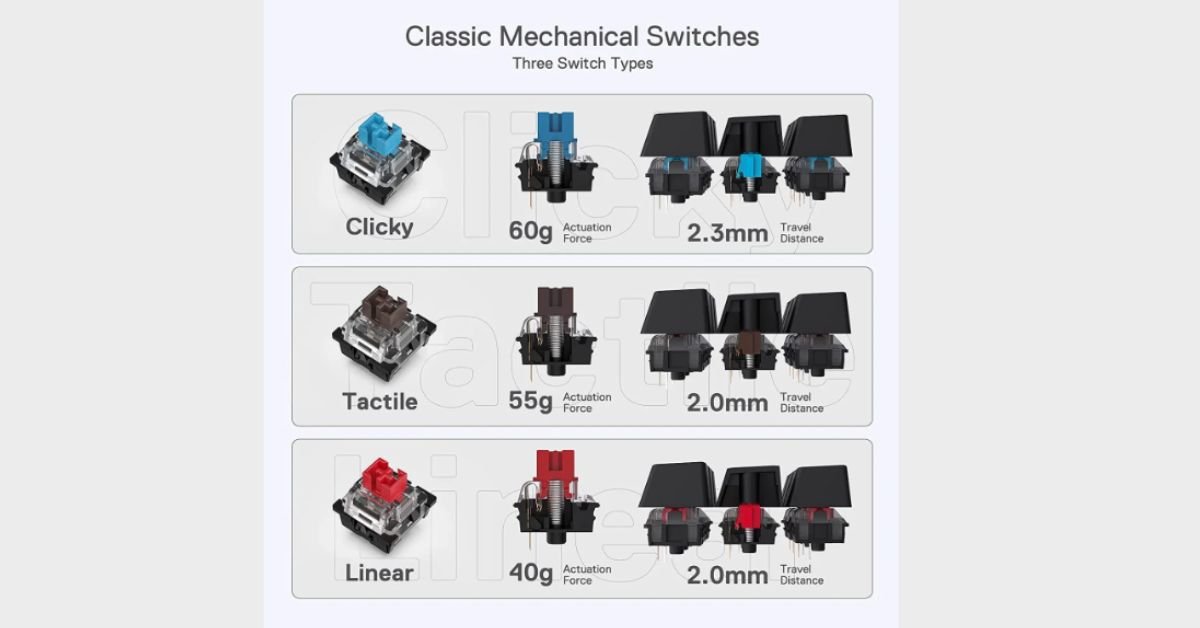
| Feature | Blue Switches | Brown Switches | Red Switches |
| Feedback type | Tactile + audible click | Tactile, no click | Linear, no bump, no click |
| Actuation force | ~50-60g | ~45-55g | ~45-50g |
| Best for | Typing, coding | Office/mixed use | Gaming |
| Noise level | Very loud | Moderate | Quiet |
| Actuation point | ~2.2mm | ~2.0mm | ~2.0mm |
| Office-friendly? | Rarely | Usually | Yes |
The short version: blues are for people who want to feel and hear every keystroke, browns are the “quiet middle ground,” and reds are built for fast, repeated gaming inputs where a click would just get in the way.
Who Should Actually Buy a Blue Switch Keyboard
Blue switches aren’t for everyone, and that’s fine they’re a specialized tool, not a universal upgrade.
You’ll probably love blue switches if you:
- Type for long stretches (writers, programmers, students)
- Work from home or have your own office
- Want tactile confirmation that a keystroke registered, without looking at the screen
- Enjoy the sensory feedback loop some people genuinely find the sound satisfying
- Are transitioning from a mushy laptop keyboard and want a dramatic contrast
You’ll probably hate blue switches if you:
- Share a desk, dorm, or open-plan office
- Live with a partner or roommate who’s sensitive to noise
- Play fast-paced competitive shooters where actuation speed matters more than feel
- Take calls on a headset with a sensitive mic (the click bleeds through)
- Work night shifts near a sleeping household
Pros and Cons of Blue Mechanical Switches
Pros:
- Distinct tactile bump tells you exactly when a keystroke registers
- Reduces “bottoming out” habit since you don’t need to press all the way down
- Satisfying, almost addictive typing feel for many users
- Generally rated for 50 million+ keystrokes (Cherry MX spec)
- Wide compatibility most hot-swappable boards support blue switches
Cons:
- Loud enough to annoy coworkers, roommates, or family members
- Not ideal for competitive gaming due to slightly higher actuation force and slower reset feel compared to linear switches
- Can pick up microphone noise during video calls or streaming
- Some users find prolonged clicking fatiguing on the fingers over 8+ hour days
- Not office-appropriate in most professional settings
Best Blue Switch Options in 2026
Not all blue switches are created equal. Here’s how the major players stack up.
Cherry MX Blue
The original. Cherry MX Blue set the standard that every other blue switch is measured against, with a 60g actuation force and a crisp, well-defined click. It’s slightly heavier and “clackier” than most alternatives, which some typists love and others find fatiguing over long sessions.
Kailh Box White / Blue
Kailh’s Box series adds a sealed switch housing that protects against dust and liquid spills. The click is sharper and higher-pitched than Cherry’s think “snap” instead of “clack.”
Gateron Blue
A softer, smoother alternative to Cherry MX Blue at a lower price point. Many enthusiasts consider Gateron Blue the better value pick, with a slightly lighter actuation force that’s gentler on fingers during long typing sessions.
Razer Green
Razer’s in-house clicky switch, essentially a gaming-branded take on the blue switch formula, tuned with a slightly crisper tactile bump for Razer’s mechanical keyboard lineup.
How to Reduce Blue Switch Noise (Without Losing the Feel)
If you love the tactile feedback but the noise is a problem, you don’t have to abandon blue switches entirely. Try these fixes in order.
1. Add switch dampeners or O-rings
Small silicone rings placed under the keycap reduce bottom-out noise, though they won’t touch the click sound itself since that comes from inside the switch.
2. Use a desk mat or mouse pad under the keyboard
Vibration through a hard desk surface amplifies sound. A thick mat absorbs a surprising amount of that resonance.
3. Switch to a gasket-mounted keyboard
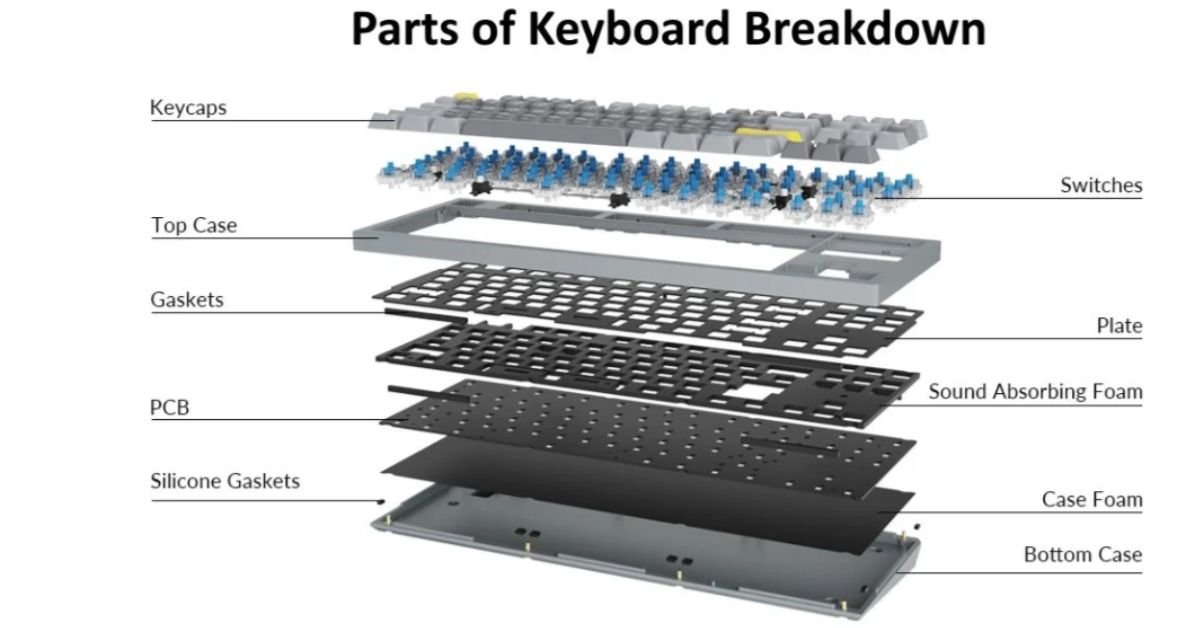
Gasket-mount designs use foam and rubber gaskets between the plate and case, which dampens the “ping” that hollow keyboard cases often produce.
4. Try lubing the switches
Applying a thin switch lubricant (like Krytox 205g0 or Superlube) to the stem and housing can smooth out scratchiness and slightly soften the click without eliminating it.
5. Consider a “silent blue” alternative
Some manufacturers now sell hybrid switches with a tactile bump but a dampened click worth testing if you want 80% of the feel with 30% of the noise.
Common Blue Switch Problems (And How to Fix Them)
Problem: A key feels scratchy or inconsistent
This is usually dry lubrication or debris inside the switch housing. Compressed air first, then consider lubing if the scratchiness persists after cleaning.
Problem: Double inputs or missed keystrokes
Check for switch chatter, which happens when a switch’s contact leaves bounces register as multiple presses. On hot-swappable boards, simply swap the faulty switch; on soldered boards, you may need to adjust debounce settings in software.
Problem: The click sound changed or got quieter over time
Click jackets can wear down slightly with heavy use over months or years. This is normal and rarely a functional issue, just a natural byproduct of tens of thousands of keystrokes.
Problem: Keys feel mushy despite being “tactile”
This often points to a cheap switch housing or excessive keycap wobble rather than the switch itself. Try a stabilizer tune or higher-quality keycaps before blaming the switches.
Blue Switches for Typing vs. Gaming: What Actually Matters
For typing, blue switches genuinely shine. The tactile bump acts like a checkpoint your fingers learn exactly how far to travel, which can reduce unnecessary bottoming-out and, over time, ease finger fatigue.
For gaming, the story is more mixed. Competitive players generally prefer linear switches (reds or silvers) because there’s no bump interrupting rapid double-taps, and the reset point is more predictable for fast repeated inputs. That said, casual and single-player gamers often report zero issues using blue switches, since the difference mostly matters at a competitive, millisecond level.
Quick Buying Checklist
Before you check out, run through this list:
- Confirm your environment (shared space vs. private office) tolerates the noise
- Check if the keyboard is hot-swappable, so you can change switches later without soldering
- Decide between Cherry MX Blue (heavier, classic) or Gateron/Kailh Blue (lighter, budget-friendly)
- Look for a keyboard with a gasket-mount design if you’re sensitive to hollow “ping” sound
- Read reviews specifically mentioning stabilizer quality, since rattly stabilizers ruin even great switches
- Consider a keyboard with swappable keycaps if you want to fine-tune sound and feel later
Frequently Asked Questions
What are blue keyboard switches for?
Typing-heavy tasks writing, coding, general office/home use where you want clear tactile and audible confirmation of each keystroke.
Are blue switches the clickiest?
Yes, among the common switch types (blue, brown, red), blue is the only one designed to click. It’s the clickiest mainstream option.
Is blue switch the loudest?
Generally yes. The click jacket mechanism makes it louder than tactile browns or linear reds, though specific switches (like Kailh Box White) can be even sharper/louder than a standard Cherry MX Blue.
Are blue switches harder to press?
Slightly. Most blues sit around 50-60g actuation force — a bit heavier than reds (~45g) but similar to or lighter than some browns, so the difference is minor, not dramatic.
What’s better, red or blue switches?
Depends on use: red wins for gaming (faster, quieter, smoother resets), blue wins for typing (tactile feedback, satisfying feel). Neither is objectively “better” — it’s use-case dependent.
Read More:
- Cherry MX Keycaps Buying & Compatibility Guide (2026)
- How Many Keys on a Full Size Keyboard? (2026 Guide)
- How to Clean Keycaps Safely Without Ruining Plastics
- MageGee Keyboard Software (2026): Setup, Fixes & Driver
- 8tshare6a Software Download (2026): Setup & Features
