
If you’re searching for dragon medical dictation software, you’re probably trying to answer one question: will this cut my documentation time without creating a new set of headaches? For many clinicians, the answer is yes. But it depends on which product you pick, how it connects to your EHR, and how you set it up.
This guide covers what the software is, how the current product family fits together, where it shines, where it stumbles, and how to fix the most common problems.
What Is Dragon Medical Dictation Software?
Dragon Medical is a family of clinical speech recognition products originally developed by Nuance Communications, now part of Microsoft. It converts spoken words into text inside your EHR, and it’s trained on medical vocabulary: drug names, anatomy, procedures, and specialty terms.
Unlike a general-purpose dictation tool, it recognizes phrases like “status post laparoscopic cholecystectomy” or “metoprolol succinate 50 milligrams daily” without you spelling them out.
Three things set it apart:
- Medical vocabulary built in, with specialty-specific language models.
- Voice commands that navigate the chart, insert templates, and select fields hands-free.
- Profile-based learning that adapts to your voice, accent, and habits over time.
The Dragon Medical Product Family
The lineup has shifted since Microsoft’s acquisition, so confirm current packaging and availability with a Microsoft or authorized reseller contact before you buy. Here’s the general landscape.
| Product | Best for | How it works | Key trade-off |
| Dragon Medical One (DMO) | Individual clinicians and health systems | Cloud-based; your profile follows you across devices | Needs a stable internet connection |
| Dragon Medical Practice Edition | Small practices wanting a local install | Desktop software installed on a Windows machine | Less flexible across devices; check current support status |
| Dragon Medical Server/Network Edition | Larger enterprises with IT teams | Server-managed, centrally administered | Heavier IT lift |
| Dragon Copilot (ambient + dictation) | Organizations wanting ambient note capture plus dictation | Combines dictation with AI-generated draft notes from conversations | Newer workflow; requires clinician review of every note |
Practical tip: Most new buyers land on the cloud option. Roaming profiles, automatic updates, and easier deployment usually outweigh the need for a reliable connection.
How Dragon Medical Dictation Works in Daily Practice
The Basic Workflow
You open a patient chart, click into a text field, and start talking. The software transcribes in real time. You can say “next field” or “insert normal physical exam” to move around or pull in templates.
Most clinicians settle into one of two rhythms:
- Real-time dictation during or right after the visit, editing as they go.
- Batch dictation at the end of a clinic block, working through several charts.
Real-time works better for accuracy. Details are fresh, and you catch errors before they pile up.
EHR Integration
Dragon Medical integrates with major EHRs, including Epic, Cerner (Oracle Health), and athenahealth, among others. The depth of integration varies by system and by how your organization configured it.
Before you commit, ask three questions:
- Does it support direct dictation into every field I use, or only into notes?
- Are voice commands available inside the EHR, or just plain dictation?
- Who supports the connection when something breaks: my IT team, the EHR vendor, or Microsoft?
Pros and Cons
| Pros | Cons |
| Strong accuracy on medical terminology out of the box | Learning curve for voice commands and templates |
| Custom words, auto-texts, and macros speed up repetitive notes | Accuracy drops with poor microphones or background noise |
| Works across many specialties | Subscription costs add up across a large group |
| Cloud version follows you between exam rooms and devices | Cloud version depends on connectivity |
| Reduces after-hours charting for many users | Still requires proofreading; errors can slip into the record |
Bottom line: the software saves time, but it doesn’t remove your responsibility to review every note.
Choosing Your Microphone (This Matters More Than You Think)
Most accuracy complaints trace back to audio input, not the software.
A quick hardware checklist:
- Use a dedicated USB or wireless headset microphone, not your laptop’s built-in mic.
- Choose a noise-canceling model if you work in an open clinic area.
- Consider a PowerMic-style handheld device if you like physical record buttons and navigation controls.
- Test your mic in the software’s audio setup wizard before your first real patient.
Practical note: Keep the mic about an inch or two from your mouth, slightly to the side, so breath sounds don’t create false words.
Setup: Getting Accuracy Right From Day One
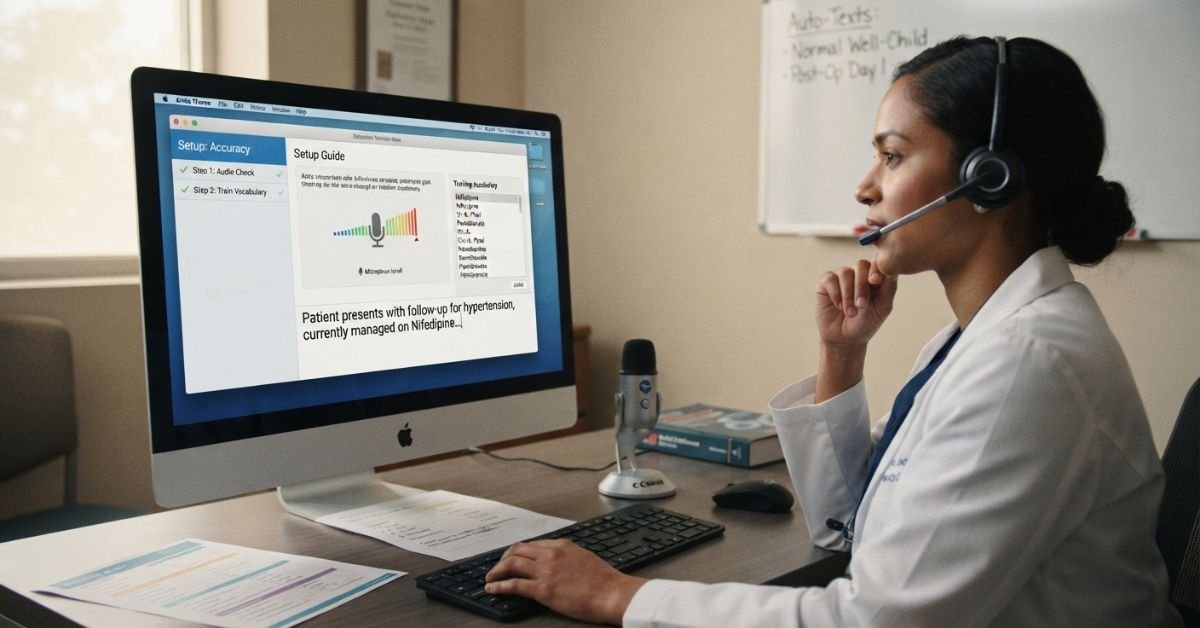
Step 1: Run the Audio Check
Complete the built-in audio and volume check in a quiet room. Do it again if you change headsets or move to a new workspace.
Step 2: Train Your Vocabulary
Add the words you use most that the system misses: uncommon drug names, local physician names, clinic abbreviations, and specialty terms. Then teach it your preferred formats, such as dates and dosages.
Step 3: Build Auto-Texts
Create voice-triggered templates for the notes you write repeatedly. A “normal well-child exam” or “post-op day one check” can become a single spoken phrase.
Step 4: Start Small
Dictate one note type for a week before expanding. Trying everything at once is the fastest way to get frustrated.
SEE MORE: How to Check RAM Speed — And Fix It If It’s Slow
Troubleshooting Common Problems
Problem: Words Are Coming Out Wrong
Check the audio first. Run the audio setup again and confirm the correct microphone is selected. Windows sometimes switches default devices after updates.
Then correct errors using the software’s correction tools rather than retyping. That teaches the system.
Problem: Dictation Lags or Cuts Out (Cloud Version)
- Test your network stability and switch from Wi-Fi to a wired connection if possible.
- Ask IT whether VPN or firewall rules are throttling the connection.
- Close unneeded applications that compete for bandwidth.
Problem: Voice Commands Don’t Work in Your EHR
This is usually an integration or version issue. Confirm the software and the EHR connector are on compatible versions. If they are, contact your IT team or reseller, because commands often depend on how the environment was configured.
Problem: The Cursor Jumps or Text Lands in the Wrong Field
Slow down at field transitions. Pause a beat after a command like “next field” before you speak the next sentence. Some EHR fields also don’t support direct dictation, and you’ll need to use a dictation box and transfer the text.
Problem: Accent or Speech Pattern Issues
Give the system time. Correcting mistakes consistently over the first couple of weeks improves recognition. Also, speak in natural phrases, not one word at a time. The software uses context.
Dictation vs. Ambient Documentation: Which Do You Need?
Ambient tools listen to the visit and draft a note for you. Dictation requires you to speak the note yourself.
| Factor | Traditional Dictation | Ambient Documentation |
| Who creates the content | You, by voice | AI drafts from the conversation |
| Control over wording | High | Moderate; you edit the draft |
| Patient consent | Not typically required | Usually required, per local rules and policy |
| Best for | Clinicians who like directing their own notes | Clinicians who want to focus on the patient during the visit |
| Review burden | Proofread your own text | Review and verify an AI-generated draft |
Many organizations now use both. Dictation handles addenda, inbox messages, and precise edits. Ambient tools handle the visit narrative.
Privacy and Compliance Considerations
Clinical dictation involves protected health information, so treat the setup like any other HIPAA-sensitive system.
Before deployment, confirm:
- A Business Associate Agreement (BAA) is in place with the vendor or reseller.
- Data handling and retention policies are documented and understood.
- Access is limited to authorized users, with strong authentication.
- Your organization’s policy covers dictating in shared or public spaces.
Your compliance officer should sign off before rollout, not after.
Is Dragon Medical Worth It? A Quick Decision Checklist
It’s likely a good fit if you:
- Spend significant time on notes after clinic hours.
- Work in a specialty with heavy narrative documentation.
- Use an EHR with a well-supported Dragon integration.
- Are willing to invest a few weeks in setup and training.
Think twice if you:
- Mostly click through structured templates with minimal free text.
- Work in a loud environment where you can’t control audio quality.
- Have unreliable internet and only a cloud option.
- Expect zero editing.
Tips From Clinicians Who Stick With It
- Dictate punctuation consistently: “period,” “comma,” “new paragraph.”
- Dictate in full sentences; the language model performs best with context.
- Review before signing, especially numbers, laterality (left vs. right), and medication doses.
- Update your vocabulary whenever you notice a repeated error.
- Get a short refresher from your vendor or IT team every few months, since features change.
The Bottom Line
Dragon medical dictation software works best for clinicians who treat it as a skill, not a switch. The first two weeks take effort: choosing a good microphone, teaching it your vocabulary, and building a few auto-texts. After that, many clinicians find they finish notes faster and carry less charting home.
The software won’t replace your judgment. Every note still needs your review, especially doses, numbers, and left-versus-right details.
If you’re deciding whether to buy, start with a trial or pilot in your own EHR, using your own microphone and your usual note types. That one test will tell you more than any spec sheet.
Ready to try it? Ask your IT team or an authorized reseller about a demo, and confirm the EHR integration before you commit.
Frequently Asked Questions
Is Dragon still the best dictation software?
For medical dictation, it’s still the benchmark, especially inside Epic and other big EHRs. “Best” depends on your workflow, though. If you want the note written for you instead of dictated, newer tools now compete hard.
Is there a better dictation software than Dragon?
Sometimes. For general typing, free apps like Windows Voice Typing or Apple Dictation are enough. For note writing, AI scribes such as Commure, DeepCura, or BastionGPT listen to the visit and draft the note. For voice control of the EHR, Dragon is still hard to beat.
What is the best software for medical dictation?
Dragon Medical One (now part of Dragon Copilot) is the top choice for clinicians who want to dictate their own notes. Pick an ambient AI scribe instead if you’d rather talk to the patient and review a draft. Always test in your own EHR first.
What happened to Dragon Dictate?
Nuance built it, and Microsoft bought Nuance in 2022. The medical line has since merged into Dragon Copilot, which combines dictation with ambient note-taking. The old “Dragon Dictate” name is mostly gone.
How much is Dragon dictation per month?
Microsoft doesn’t publish a price, so figures come from resellers. Dragon Medical One has been listed at about $99 per user per month on a 1-year term and $79 on a 3-year term, plus a one-time setup fee of about $525. Full Dragon Copilot with ambient notes costs more, and small-practice plans have been reported around $160 per user per month. Microsoft also changed its licensing on May 1, 2026, so get a current quote before you buy.
