
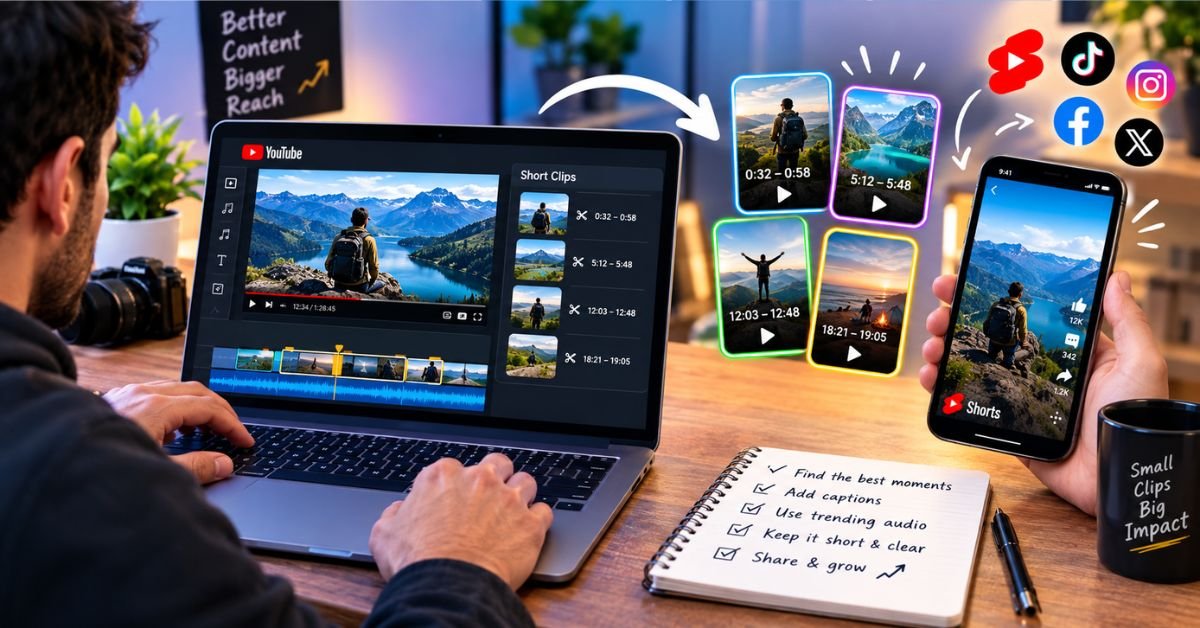
You spend a week researching, recording, and editing a long video. It gets a decent first-day audience and then settles into a slow trickle of views. Meanwhile, the funniest thirty seconds or the single most useful tip, buried somewhere around the twelve-minute mark, never reaches most of the people who would have loved it.
That gap between what a video contains and what people actually see is the case for clipping: pulling a short, meaningful segment out of a longer video and letting it stand on its own. Below, I’ll cover why clips work, how to pick the right moments, when to use MP4 versus MP3, how to adapt clips for different platforms, and how to handle copyright responsibly.
Why Short Clips Are Worth the Effort
Most people scrolling through a feed decide within a few seconds whether something deserves their time. A two-hour podcast or a 25-minute tutorial asks for a commitment that a casual scroller won’t make. A 30-second clip asks for almost nothing, and that low barrier is exactly why it works.
Clips also act as a front door. Someone who watches a sharp excerpt and likes what they hear is far more likely to look up the full episode than someone who never saw a preview. So it helps to think of clips as a way for new viewers to find your long-form work, not as a replacement for it.
The practical obstacle is usually the process rather than the idea. If cutting a segment means opening heavy editing software every time, you’ll put it off. A browser-based tool like YouTube Clipper lets you isolate the part of a video you need without the extra setup, which leaves more of your energy for deciding what’s worth clipping. Whatever tool you use, the easier the process, the more likely you are to keep doing it.
And keeping at it matters more than polish. A creator who posts three clean, relevant clips a week will generally learn more, and grow faster, than one who spends a month perfecting a single highlight reel.
Choosing Which Moments to Clip
Not every stretch of a video makes a good clip. The best ones share a few traits, and learning to spot them is probably the most valuable skill in the whole process.
Look for ideas that stand alone
A good clip makes sense without the video around it. If a viewer would need to know what was said five minutes earlier, they’ll just be confused. Aim for moments with a natural beginning and end, such as a complete tip, a finished anecdote, a punchline, or a tight explanation of one concept.
Notice the energy
Genuine reactions travel well. Laughter, surprise, passion, and honest disagreement tend to hold attention better than calm, neutral explanations. If you catch yourself smiling or leaning toward the screen while reviewing footage, mark that spot.
Let your analytics point the way
YouTube’s audience retention graph shows where viewers stay and where they leave. Peaks and long flat stretches often mark the parts people found most compelling, which makes them good candidates for clips. Comments can help too. When someone writes “the part at 12:40 changed my mind,” they’ve handed you a timestamp.
Leave enough context
Clips trimmed too tightly can feel abrupt or even misleading. Starting a few seconds early and ending just after the thought finishes usually feels more natural. Cutting someone off mid-sentence, or removing a joke before its payoff, can change what the speaker actually meant.
A Simple Workflow from Long Video to Finished Clip
You don’t need an elaborate system. Something like this is enough:
- Review and mark timestamps. Watch the video, or skim it using the retention graph and transcript, and note moments that could work alone.
- Narrow the list. Three strong clips beat ten forgettable ones.
- Trim precisely. Cut dead air, long pauses, and filler, but keep the full thought intact.
- Pick a format. Decide whether you need video, audio, or both, depending on where the clip will go.
- Add finishing touches. Captions, a short title card, or a simple branded opener help, especially since many people watch without sound.
- Publish and check the results. See how the clip performs and let that guide your next choices.
After a few rounds, this takes minutes rather than hours. It also pays to batch the work: reviewing a video once and pulling several clips in the same sitting is much faster than coming back to it again and again.
MP4 or MP3: Which Format Should You Use?
The format you save a clip in determines where you can use it. The two most common options are MP4 for video and MP3 for audio.
When MP4 is the better choice
MP4 is the standard video format and is accepted almost everywhere, including Instagram, TikTok, X, LinkedIn, Facebook, and most messaging apps. Choose it when the visuals carry meaning, as with a demonstration, a reaction, an on-screen walkthrough, or any moment where facial expressions matter. MP4 files also open in most video editors, so adding captions or stitching several clips together is straightforward.
When MP3 is the better choice
MP3 is audio only, which suits moments where the words matter more than the picture. Podcasters often pull audio clips for teasers or short promotional snippets. Teachers might extract a brief explanation for a lesson, and musicians or producers may isolate a short passage of their own work to review or share. Audio files are also much smaller than video, so they upload quickly and are easy to send.
If a clip is important to you, save both versions. The video can go into social feeds, while the audio can work in newsletters, podcasts, or other audio-first spaces.
SEE MORE: How to Build a Retro Game Library Without Breaking the Bank
Adjusting Clips for Different Platforms
A clip that does well on one platform can fall flat on another, and small adjustments often make a noticeable difference.
Orientation. TikTok, Instagram Reels, and YouTube Shorts are built around vertical video. If your original footage is widescreen, you may need to reframe it so the speaker stays centered. On LinkedIn or X, horizontal or square video is usually fine.
Length. There’s no perfect number. Shorter tends to be safer for people who don’t know you yet, and many creators find that clips between 15 and 60 seconds are easy to watch. A strong 90-second story can still work if the opening grabs people quickly.
The opening. Start with your most interesting line or image rather than an introduction. A clip that begins with “So, um, today we’re going to talk about…” loses people before the good part arrives.
Captions. A lot of social videos get watched with the sound off. On-screen text helps those viewers and improves accessibility. Keep it short, readable, and accurate.
A next step. Tell people where to go if they want more. Something as simple as Full video on my channel gives interested viewers a clear path to your longer content.
Copyright and Permissions
The safest place to start is your own material: your uploads, your podcast episodes, your recorded live streams. You hold the rights, so you can reuse that content as you see fit.
Things get more complicated when the video belongs to someone else. Downloading or reposting another creator’s work without permission can break copyright law and YouTube’s terms of service, and it can result in takedowns, strikes, or worse. A few ground rules help:
- Ask first. If you want to feature someone else’s content, get their permission and credit them clearly.
- Read the license. Some videos are published under licenses that allow reuse, including certain Creative Commons licenses. Check the actual terms rather than assuming.
- Don’t treat fair use as a free pass. Fair use and fair dealing differ from country to country and depend on factors like purpose, amount used, and effect on the original’s market. If you’re unsure, talk to a qualified legal professional.
- Don’t distort what was said. Avoid edits that change a speaker’s meaning or imply an endorsement they never gave.
Beyond the legal side, creators who treat other people’s work with respect tend to build better relationships with collaborators, brands, and audiences.
Mistakes Worth Avoiding
Even experienced creators repeat a few of these when they start clipping regularly.
Cutting clips without a purpose is the most common one. Before you trim anything, decide what the clip is for: bringing in new viewers, promoting a particular video, starting a conversation, or teaching one idea. Once that’s clear, most other decisions get easier.
Poor audio is another. A great moment buried under background noise or uneven volume will lose people fast, so listen before you publish, and level out the volume if you’re combining clips.
Many people also post the identical file everywhere. Adjusting the format, length, and captions for each platform takes a few extra minutes and usually improves results.
Over-editing is a quieter problem. Heavy effects, constant zooms, and loud background music can drown out the content. A strong moment often needs very little help.
Finally, keep notes on what works. Jot down which clips performed well and which didn’t. After a few weeks, you’ll start to see which topics, lengths, and styles your audience responds to.
Making Clipping a Habit
The creators who get the most from clipping usually aren’t the ones with the fanciest tools. They’re the ones who do it on a schedule. Set aside a regular slot each week to look back over your recent uploads, choose a few moments, and publish them across your channels. A simple spreadsheet or note listing the timestamp, format, and posting location for each clip is plenty. Over time, it becomes a record of what your audience cares about.
It also helps to think about clips while you’re still planning a video. If you know a segment might be reused, you can organize the video into clear, self-contained sections, state key ideas in a single crisp sentence, and leave natural pauses between topics. Videos built this way are much easier to cut up later.
Final Thoughts
A long video is less like a single book and more like a small library, with plenty of short, shareable moments inside it that can reach people who would never sit through the full upload. If you choose self-contained ideas, lean on your analytics, match the format to the platform, and respect other people’s rights, you can get far more out of every video you make without adding much to your workload.
Start small. Take one recent video, find two or three moments that make sense on their own, and publish them this week. See how people respond, then adjust. Most steady growth comes from treating each piece of content as raw material for several more.
