
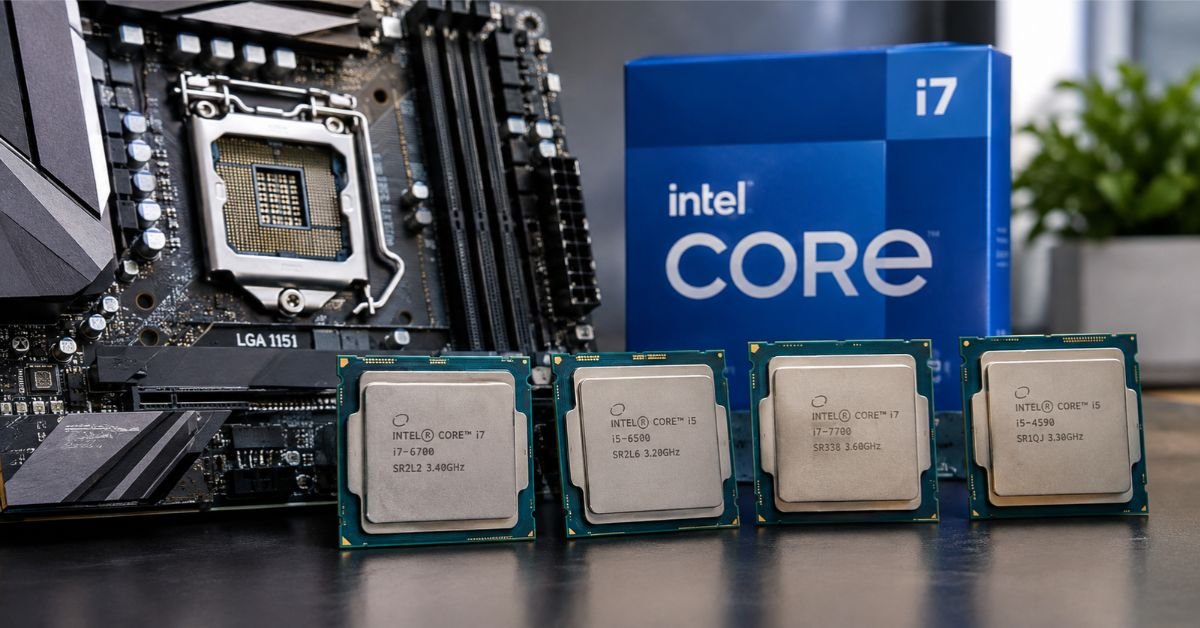
If you’re shopping for the best CPU for an LGA 1151 motherboard, the quick answer is this: the Core i9-9900K is the fastest chip the socket supports, the Core i7-9700K is the smarter pick for gaming, and the Core i5-9400F is the best bargain.
Before you buy anything, though, you need to know that “LGA 1151” covers two different platforms. They look identical, but they don’t accept the same processors. Get this wrong and the PC simply won’t start.
The Short List
| Use Case | Best Pick | Cores/Threads | Max Boost | Why It Stands Out |
| Best overall | Core i9-9900K | 8/16 | 5.0 GHz | The fastest CPU the socket supports |
| Best for gaming | Core i7-9700K | 8/8 | 4.9 GHz | Eight real cores, runs cooler than the i9 |
| Best value | Core i5-9400F | 6/6 | 4.1 GHz | Solid performance for very little money |
| Best budget | Core i3-9100F | 4/4 | 4.2 GHz | Cheap and fine for everyday use |
| Best for older boards | Core i7-7700K | 4/8 | 4.5 GHz | The top chip for 100 and 200-series boards |
| Best for overclocking | Core i7-8700K | 6/12 | 4.7 GHz | Unlocked, and still quick |
Two Versions of LGA 1151, and Why It Matters
Both versions use a 1151-pin socket of the same shape, but the electrical pin layout is different. A processor built for one version will not work in the other.
LGA 1151 v1 handles 6th-gen (Skylake) and 7th-gen (Kaby Lake) chips. These sit on 100-series and 200-series boards such as the H110, B150, Z170, B250, and Z270.
LGA 1151 v2 handles 8th-gen (Coffee Lake) and 9th-gen (Coffee Lake Refresh) chips. Those go on 300-series boards like the H310, B360, H370, Z370, and Z390.
| Version | CPU Generations | Compatible Chipsets | Memory |
| v1 | 6th gen, 7th gen | H110, B150, H170, Z170, B250, H270, Z270 | DDR4 (some boards use DDR3L) |
| v2 | 8th gen, 9th gen | H310, B360, H370, Z370, Z390 | DDR4 |
So an 8th or 9th-gen processor won’t run in a 100 or 200-series board, and a 6th or 7th-gen chip won’t run in a 300-series board. Check your chipset first. Everything else comes second.
The Best LGA 1151 CPUs, One by One
Intel Core i9-9900K: the best overall
Nothing else on this socket comes close. The i9-9900K gives you eight cores and sixteen threads with a 5.0 GHz boost clock, and Intel soldered the die to the heat spreader, which helps it shed heat better than older chips.
It handles gaming, streaming, and video editing without struggling. If you can find the rarer 9900KS, it holds 5.0 GHz across all cores.
The trade-offs are real, though. It runs hot, so you’ll need a good cooler. It also wants a capable board, ideally a Z390 or a well-built Z370, because cheap power delivery can hold it back. And used prices can sit higher than the performance justifies.
Intel Core i7-9700K: the best for gaming
The i7-9700K also has eight physical cores, but it drops Hyper-Threading. For gaming, that barely matters. Most games don’t use sixteen threads, so the 9700K lands very close to the 9900K in frame rates while running cooler and costing less.
It’s unlocked, so you can overclock it. The downside shows up in heavy multitasking, rendering, or streaming while you game, where the missing threads start to count.
Intel Core i5-9400F: the best value
This is the chip I’d point most budget builders toward. You get six cores, a 4.1 GHz boost, and a 65W TDP that works on almost any 300-series board, including cheap H310 and B360 models (some need a BIOS update first).
The “F” means there’s no integrated graphics, so you’ll need a dedicated graphics card. If you want onboard video as a backup, look for the i5-9400 instead. The multiplier is locked, and six threads will feel tight if you do a lot of content creation, but for 1080p gaming and daily use it’s plenty.
Intel Core i5-9600K and i7-8700K: the picks for tinkerers
Both are unlocked, and both respond well to tuning on a Z370 or Z390 board. The i5-9600K has six cores and a 4.6 GHz boost, which suits a gaming-focused build. The i7-8700K adds Hyper-Threading for twelve threads and a 4.7 GHz boost, which gives it the edge in productivity work.
Intel Core i3-9100F: the budget option
Four cores, a 4.2 GHz boost, and a very low price. It’s a sensible upgrade for an old dual-core machine that mostly handles browsing and office work. Don’t expect it to keep up with newer demanding games.
Intel Core i7-7700K: the best for v1 boards
If you’re running a Z170 or Z270 board, 8th and 9th-gen chips are off the table. The i7-7700K is your best option, with four cores, eight threads, and a 4.5 GHz boost. The i7-6700K is nearly identical and works too. On a tighter budget, the Pentium G4560 gives you two cores and four threads for very little.
Xeon chips: a niche choice
Some Xeon E3 and E-2100/2200 processors do fit LGA 1151, but they need workstation chipsets like the C232, C236, or C246. They won’t run on a standard consumer board. Unless you already own a compatible workstation board, it’s not worth the detour.
Check This Before You Buy
Run through this list before you spend any money:
- Identify your exact motherboard model (the board itself is labeled, or CPU-Z’s Mainboard tab will tell you).
- Confirm the chipset. A 100 or 200-series board means v1, and a 300-series board means v2.
- Look up your board on the manufacturer’s CPU support list.
- Note the minimum BIOS version your target CPU needs.
- Make sure the power delivery can handle an eight-core chip if that’s your plan.
- Match your cooler to the CPU’s heat output.
See More: Normal Motherboard Temperature: Safe Ranges & Fixes
The BIOS Update That Trips People Up
Plenty of 300-series boards shipped before 9th-gen chips existed. Put an i7-9700K into an older B360 or Z370 board running its original BIOS, and it may not boot at all.
The fix is straightforward if you do it in the right order:
- Check your current BIOS version in the BIOS menu or with CPU-Z.
- Download the latest BIOS from your motherboard maker’s support page.
- Flash it using the board’s built-in tool (Q-Flash, EZ Flash, M-Flash, and so on) before swapping the CPU.
- If your board has BIOS Flashback, use it. It works without a processor installed.
- If neither option is available, borrow a compatible 8th-gen chip to do the update.
Cooling and Power Delivery
The i9-9900K and i7-9700K can draw well beyond their rated TDP under sustained load. Budget boards with weak voltage regulators often throttle these chips, even when the CPU is technically on the support list.
For an eight-core processor, pick a Z390, or a well-built B360 or Z370 with proper heatsinks over the power circuitry. Pair it with a tower air cooler or a 240mm liquid cooler.
One piece of good news: LGA 1151 uses the same cooler mounting as LGA 1150, 1155, and 1156, so an older cooler may fit without a new bracket.
Troubleshooting Common Problems
The PC won’t boot after a CPU swap. Start with the chipset and BIOS version. Then reseat the CPU and inspect the socket for bent pins, which are a common problem with LGA sockets.
The CPU runs hotter than expected. Reapply thermal paste and make sure the cooler is mounted firmly. Also check whether your motherboard has “Multi-Core Enhancement” switched on, since it pushes power limits past Intel’s defaults.
Performance is lower than benchmarks suggest. Open Task Manager or a monitoring tool like HWiNFO and look for thermal or power throttling. On budget boards, a weak voltage regulator is the usual cause.
Your RAM runs at the wrong speed. Enable XMP in the BIOS, and confirm your memory kit’s speed is supported by your CPU.
Windows 11 won’t install. Windows 11 officially supports 8th-gen and newer Intel processors. 6th and 7th-gen chips aren’t on the supported list, so owners of v1 boards may have to rely on unsupported workarounds.
Is LGA 1151 Still Worth Buying Into?
For a brand-new build, probably not. The platform is old, and newer sockets offer better efficiency, faster memory, and more modern connectivity.
For upgrading a system you already own, it makes a lot of sense. A used i7-9700K or i9-9900K can keep an 8th-gen build useful for years at a fraction of the price of a whole new platform.
Two practical tips. First, pair the CPU sensibly: a 9900K works well with a mid-range to upper-mid-range graphics card, while a four-core chip would hold back a high-end GPU. Second, check completed eBay listings before buying used, since prices swing, and ask for clear photos of the contact pads so you can rule out bent or missing pins.
Which One Should You Buy?
- Own a 300-series board and want the most performance? Get the i9-9900K.
- Mostly gaming? The i7-9700K is the efficient choice.
- Want the best price for what you get? Go with the i5-9400F.
- Stuck on a 100 or 200-series board? The i7-7700K is as far as it goes.
- Building a basic office PC? The i3-9100F will do the job.
Confirm your chipset, update the BIOS, and match your cooler to the chip. Get those three things right and the upgrade should go smoothly.
FAQs
What is the best CPU to use with a 1151 socket?
It depends on which version of the socket your motherboard uses. On a 300-series board (v2), the Core i9-9900K is the best overall, and the i7-9700K is the better choice if you mostly game. On a 100 or 200-series board (v1), the Core i7-7700K is the best you can install.
For tight budgets on a 300-series board, the Core i5-9400F gives you six cores for very little money.
Which CPU is the fastest on an LGA1151 socket?
The Intel Core i9-9900KS is the fastest, holding 5.0 GHz on all eight cores. The i9-9900K is a close second and much easier to find. Both have eight cores and sixteen threads.
Both need a 300-series board with solid power delivery and a strong cooler to run at their best.
Is LGA 1151 best cpu good for gaming?
Yes, as long as you pick the right chip. A six or eight-core processor like the i5-9400F, i5-9600K, i7-9700K, or i9-9900K handles modern games well, especially at 1080p and 1440p.
Four-core chips like the i3-9100F or i7-7700K can struggle in newer titles. Also, don’t pair any of these with a very high-end graphics card, because the CPU will hold it back.
Is LGA 1151 outdated?
For a new build, yes. The platform is limited to PCIe 3.0, DDR4 memory, and a maximum of eight cores, while newer sockets offer more speed, better efficiency, and modern connectivity.
For an existing system, it’s still useful. Dropping a used 9th-gen chip into a 300-series board is an affordable way to get more life out of a PC you already own.
Can LGA 1151 run Windows 11?
It depends on the version. 8th and 9th-gen processors (LGA 1151 v2) are officially supported by Windows 11, provided TPM 2.0 and Secure Boot are enabled in your BIOS.
6th and 7th-gen processors (LGA 1151 v1) are not on Microsoft’s supported list. You may be able to install Windows 11 with workarounds, but that route isn’t officially supported.
Does the LGA 1151 support 9th Gen?
Only the v2 version does, meaning motherboards with H310, B360, H370, Z370, or Z390 chipsets. Boards with 100 or 200-series chipsets cannot run 9th-gen processors, even though the socket looks identical.
Many 300-series boards also need a BIOS update before they’ll recognize a 9th-gen chip, so check your board’s CPU support list first.
