
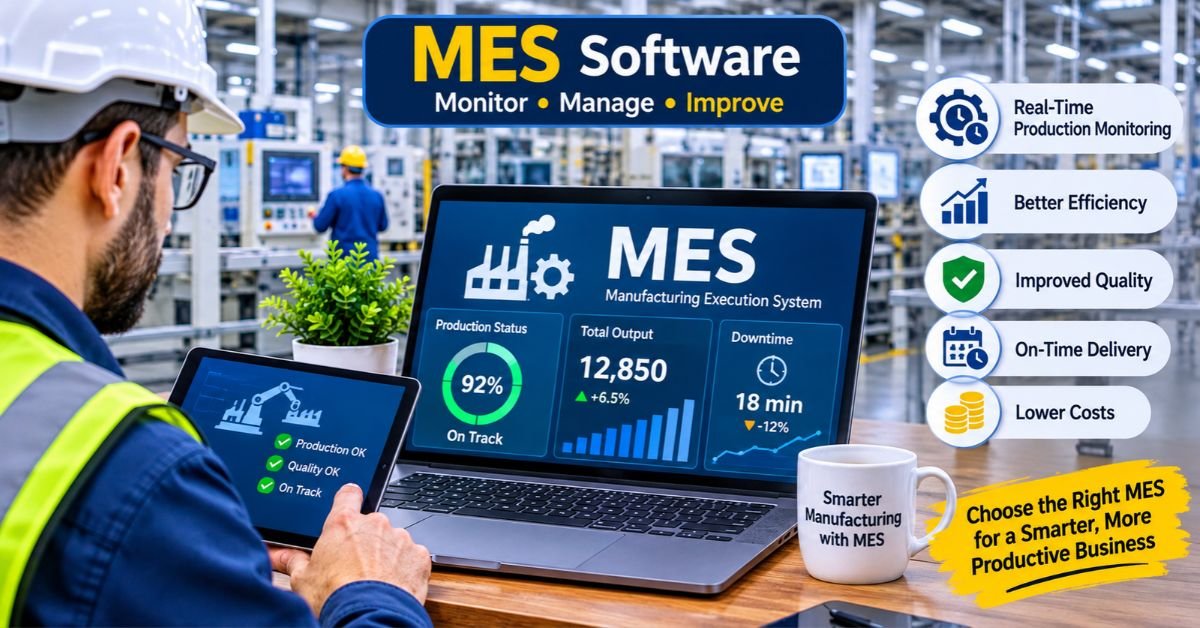
MES software (short for manufacturing execution software, or manufacturing execution system) is what links your shop floor to the rest of your business. It tracks and controls production as it happens and keeps a record of everything, from the moment a work order is released until the finished product ships.
If your team still pieces together production status from clipboards, spreadsheets, and a few phone calls, this guide is for you. We’ll cover what an MES does, how it differs from your ERP, what to look for when buying, what implementation really involves, and how to fix the problems that trip up most projects.
What Is MES Software?
An MES is a production-focused system that monitors and manages manufacturing operations in real time. It sits between your ERP, which plans the business, and your machines and PLCs, which do the actual work.
Here’s a simple example. Your ERP knows you owe a customer 5,000 units by Friday. Your MES knows that Line 3 is running 12% behind, that the last batch used the wrong material lot, and that changeovers are eating 40 minutes every shift. One system holds the plan. The other knows what’s really going on.
Two standards are worth knowing. MESA International defines the core MES functions, and ISA-95 describes where an MES fits in the enterprise architecture: Level 3, between control systems and business planning.
MES vs. ERP vs. SCADA
People mix these up all the time, so here’s how they differ in practice.
| System | Primary Job | Time Horizon | Question It Answers |
| ERP | Plans resources, finances, and orders | Days to months | “Do we have the material and capacity to take this order?” |
| MES | Executes and records production | Seconds to hours | “What’s happening on the floor right now, and is it within spec?” |
| SCADA | Controls and monitors equipment | Milliseconds to seconds | “What’s this machine’s temperature and current state?” |
The shortcut: ERP plans, MES executes, SCADA controls. A good MES sends clean production data up to the ERP and pushes work instructions down to the floor.
What Does MES Software Actually Do?
Features vary by vendor, but most serious platforms cover the same ground.
Production tracking and work orders. The MES releases orders to the floor, follows progress operation by operation, and shows live status for each line, cell, or machine.
Real-time data collection. Machines, sensors, barcode scanners, and operator terminals feed the system directly. End-of-shift paperwork gives way to live numbers.
Quality management. In-process inspections, statistical process control (SPC), nonconformance handling, and hold/release workflows all live here. When a defect shows up, you can see which batch and which parameters were involved.
Genealogy and traceability. The system records the materials, machines, operators, and settings behind every unit or lot. In a recall, a task that once took weeks of digging can become a query that takes minutes.
OEE and performance analysis. The software calculates Overall Equipment Effectiveness (availability × performance × quality) automatically and sorts downtime into categorized reasons.
Electronic work instructions and batch records. Operators see step-by-step instructions on screen. In regulated industries, electronic batch records replace paper and support compliance with FDA 21 CFR Part 11.
Scheduling and dispatching. Many systems offer finite scheduling that adjusts for breakdowns, rush orders, and material shortages.
Maintenance and labor tracking. Some platforms tie machine hours to preventive maintenance triggers and log labor against jobs.
Who Actually Needs an MES?
Not every plant does. A quick self-check will tell you where you stand.
You probably need one if:
- You work in a regulated industry (pharma, medical devices, food, aerospace, automotive) and need audit-ready records
- You can’t say where order X is right now without walking the floor
- Traceability requests take hours or days to answer
- Your scrap, rework, and downtime figures are estimates rather than measurements
- You run several plants and can’t compare their performance on equal terms
- Your ERP data and floor reality regularly disagree
You can probably wait if:
- You run a small, simple operation with a handful of machines
- Your real problem is machine uptime, in which case a basic OEE or downtime tracker may be enough
- Your processes change every week and haven’t settled yet. Digitizing chaos only gets you faster.
Types of MES Software
Traditional (on-premise) MES
This version runs on your own servers and can be customized deeply. It’s common in large or heavily regulated plants. You get control and low latency, but you also need IT staff and a big upfront investment.
Cloud-based MES
Cloud systems are sold as subscriptions. They’re quicker to deploy, easier to scale across sites, and updated by the vendor. The tradeoffs are reliance on a stable connection and, in some cases, data residency concerns.
Industry-specific MES
Some systems are built for one vertical, such as pharmaceutical batch manufacturing, discrete assembly, or process industries. Relevant workflows come ready-made, which shortens configuration time.
Modular or lightweight MES
These start with a few modules, say production tracking and OEE, and grow as your needs do. Mid-sized manufacturers often prefer this route because it delivers results without a multi-year program.
| Deployment Type | Best For | Main Strength | Main Drawback |
| On-premise | Large, regulated, high-customization plants | Control and performance | High cost, long rollout |
| Cloud | Multi-site and mid-market operations | Speed and scalability | Depends on connectivity |
| Industry-specific | Pharma, food, aerospace | Built-in compliance workflows | Less flexible outside its niche |
| Modular/lightweight | Plants starting to digitize | Low entry cost, quick wins | May need replacing as needs grow |
Benefits of MES Software
The gains are real, but they depend on people actually using the system. Plants typically see improvements in these areas:
- Less downtime, faster response. Supervisors get an alert when a line stops, not a report at the end of the shift.
- Lower scrap and rework. In-process checks catch problems early.
- Faster, cheaper audits. Digital records replace shelves of binders.
- Shorter lead times. Better visibility exposes bottlenecks and idle time.
- More accurate costing. Actual labor, material, and machine time flow back to the ERP.
- Tighter recall control. Genealogy narrows a recall to the lots that are actually affected.
A word of caution on expectations. Vendor case studies often cite double-digit gains in OEE or scrap reduction, but those are best-case stories. Your results will depend on your starting point, the quality of your data, and whether operators embrace the system.
Drawbacks and Risks
MES projects fail more often than vendors like to admit, so go in with open eyes.
- High total cost. Licenses are only part of the bill. Integration, hardware, training, and consulting frequently add up to more than the software itself.
- Long implementation. A single-site project commonly runs from several months to more than a year.
- Resistance from the floor. If operators see the system as surveillance, they’ll find ways around it.
- Integration headaches. Connecting legacy machines and older ERPs takes real engineering effort.
- Over-customization. Heavy custom code makes upgrades slow and expensive.
- Poor data quality. Bad master data, such as inaccurate BOMs and routings, produces bad MES output.
How Much Does MES Software Cost?
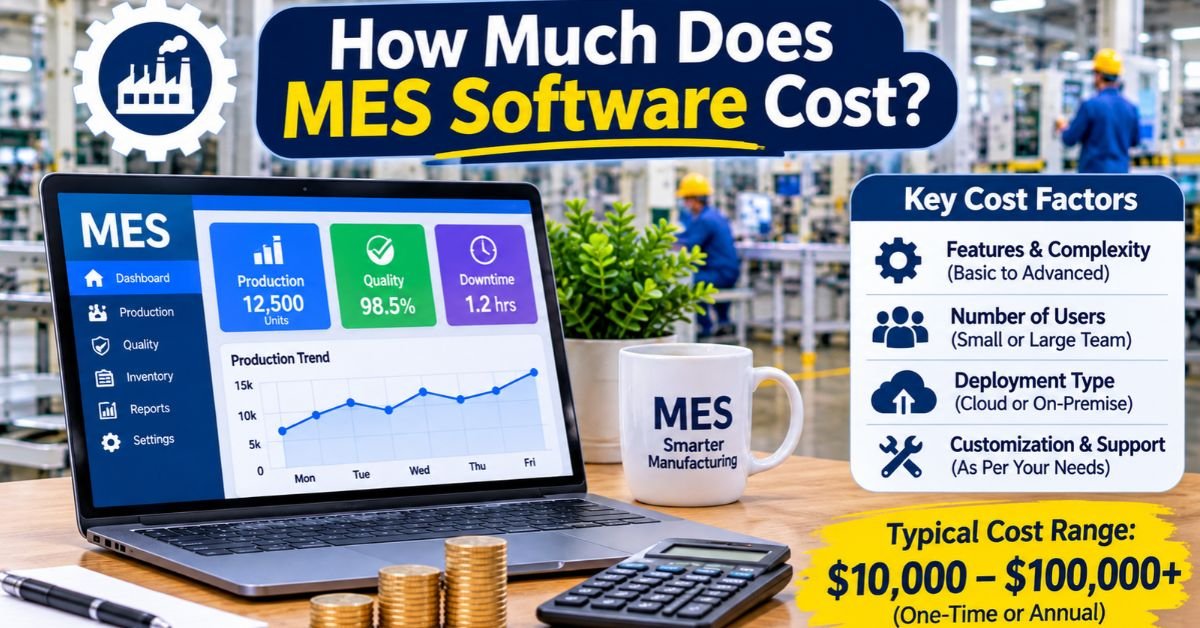
Vendors rarely publish prices, and the range is wide. This is how the cost usually breaks down:
| Cost Component | What to Expect |
| Software licensing | Priced per user, per machine or line, per site, or as a subscription |
| Implementation services | Often 1x to 3x the license cost on complex projects |
| Hardware | Terminals, scanners, industrial PCs, network upgrades |
| Integration | Connections to ERP, PLC, SCADA, and quality systems |
| Training | Operators, supervisors, and administrators |
| Ongoing support | Annual maintenance or subscription fees |
As a rough guide, a lightweight cloud MES for a small plant can start in the low tens of thousands of dollars per year. Enterprise deployments across multiple sites can reach six or seven figures. Whatever the vendor quotes, ask for a total cost of ownership estimate that covers at least three years.
How to Choose MES Software: An Evaluation Checklist
Begin with your problems, not a feature list. Then work through these questions.
Fit and functionality
- [ ] Does it solve your top three pain points out of the box?
- [ ] Does it support your production style: discrete, batch, process, or a mix?
- [ ] Can it meet your compliance requirements (FDA, ISO 9001, IATF 16949, AS9100)?
- [ ] Are work instructions and quality checks easy for operators to use?
Integration
- [ ] Does it connect natively to your ERP (SAP, Oracle, Microsoft Dynamics, Epicor, or whatever you run)?
- [ ] Does it support OPC UA, MQTT, or the protocols your PLCs use?
- [ ] Can it handle older machines through gateways or retrofits?
Vendor and delivery
- [ ] Can the vendor point to reference customers in your industry and at your size?
- [ ] Who handles implementation, the vendor or a partner, and what’s their track record?
- [ ] What does support look like, and how fast is the response?
Scalability and flexibility
- [ ] Can you start with one line and expand?
- [ ] Is the data model open enough that you could export your data if you left?
- [ ] How are upgrades handled for customized installations?
One piece of advice: run a paid pilot on a single line before committing plant-wide. A scripted demo proves very little. A pilot with your own parts, your own operators, and your own messy data tells you a lot.
How to Implement MES Software Without Disrupting Production
Step 1: Define scope and success metrics
Choose three to five measurable goals, such as cutting unplanned downtime by a set percentage or answering a traceability request in under an hour. Record your baseline first. Without it, you can’t prove anything has improved.
Step 2: Clean up your master data
Audit your BOMs, routings, work centers, and part numbers. It’s tedious work, and it prevents most of the go-live problems people complain about later.
Step 3: Map your current processes, then fix them
Document how work really flows, including the unofficial workarounds. Remove waste before you automate it.
Step 4: Start small
Pick one line or cell with a supportive supervisor. Prove the value there, then expand in phases.
Step 5: Bring operators in early
Let them help design screens and test workflows. If the interface adds clicks to their day, adoption will suffer.
Step 6: Plan the integration carefully
Decide which system is the source of truth for each type of data: orders, inventory, quality results. Test the data flows in both directions before go-live.
Step 7: Train, go live, and stay close
Schedule training around shifts, including nights. Keep experts on the floor during the first few weeks.
Step 8: Measure and adjust
Compare results to your baseline every month. Tweak workflows based on what the data and the operators tell you.
Troubleshooting Common MES Problems
Operators aren’t entering data, or they enter it late.
Look at the friction. Are terminals far from the machine? Are there too many fields? Capture data automatically from machines wherever possible, and cut manual entry down to the essentials.
Production counts don’t match the ERP.
Check for unit-of-measure mismatches, unreported scrap, and timing differences in posting. Confirm which system owns each transaction.
OEE looks too good (or too bad).
Review your ideal cycle time and planned production time definitions. Inflated OEE often comes from loose cycle time standards or downtime that was never classified.
Machine data keeps dropping out.
Inspect network stability, gateway configuration, and PLC tag mappings. Add buffering so short outages don’t leave gaps in your data.
The system slows down at shift change.
Review database indexing, concurrent user load, and report scheduling. Heavy reports belong in off-peak hours.
People have gone back to spreadsheets.
Ask why. Usually the MES lacks a view or report they need. Fix that gap quickly, or the shadow system becomes permanent.
Customizations break after an upgrade.
Keep custom code to a minimum, document it, and favor configuration over code. Test every upgrade in a sandbox first.
Trends Shaping MES Software
- Cloud and hybrid architectures that keep latency-sensitive functions at the edge
- Open standards like OPC UA and MQTT, which make machine connectivity easier
- AI-assisted analytics for predictive quality and anomaly detection
- Modular, composable systems replacing large monolithic platforms
- Closer links to maintenance, quality, and supply chain systems for a fuller picture of operations
Be skeptical of AI claims. Ask vendors to demonstrate a specific use case with real data, not a slide.
FAQs
1. What are the top 5 MES systems?
Siemens Opcenter, Rockwell Automation FactoryTalk ProductionCentre, Dassault Systèmes DELMIA Apriso, SAP Digital Manufacturing, and AVEVA MES. Other strong options include Tulip and Plex (Rockwell) for smaller or cloud-first plants.
2. What is MES software used for?
MES (Manufacturing Execution System) tracks and controls production on the shop floor in real time. It manages work orders, machine and labor tracking, quality checks, material traceability, and downtime reporting, so managers can see what is being made, how well, and why delays happen.
3. Is MES the same as ERP?
No. ERP handles business-level planning: finance, purchasing, inventory, and sales orders. MES handles execution: what happens minute by minute on the production line. ERP says what to make and when; MES makes sure it gets made correctly and records how it went.
4. Is MES the same as SCADA?
No. SCADA monitors and controls machines and equipment through sensors and PLCs (for example, temperature, pressure, and valve status). MES sits above it and manages the production process itself, such as orders, quality, and traceability. SCADA feeds data up to MES.
5. Is SAP an MES system?
Not by default. SAP’s core product is ERP. However, SAP offers MES capabilities through SAP Digital Manufacturing (formerly SAP ME and SAP MII), which integrates with SAP S/4HANA.
Quick tip: Think of it as a three-layer stack: SCADA controls machines, MES runs production, and ERP runs the business.
