
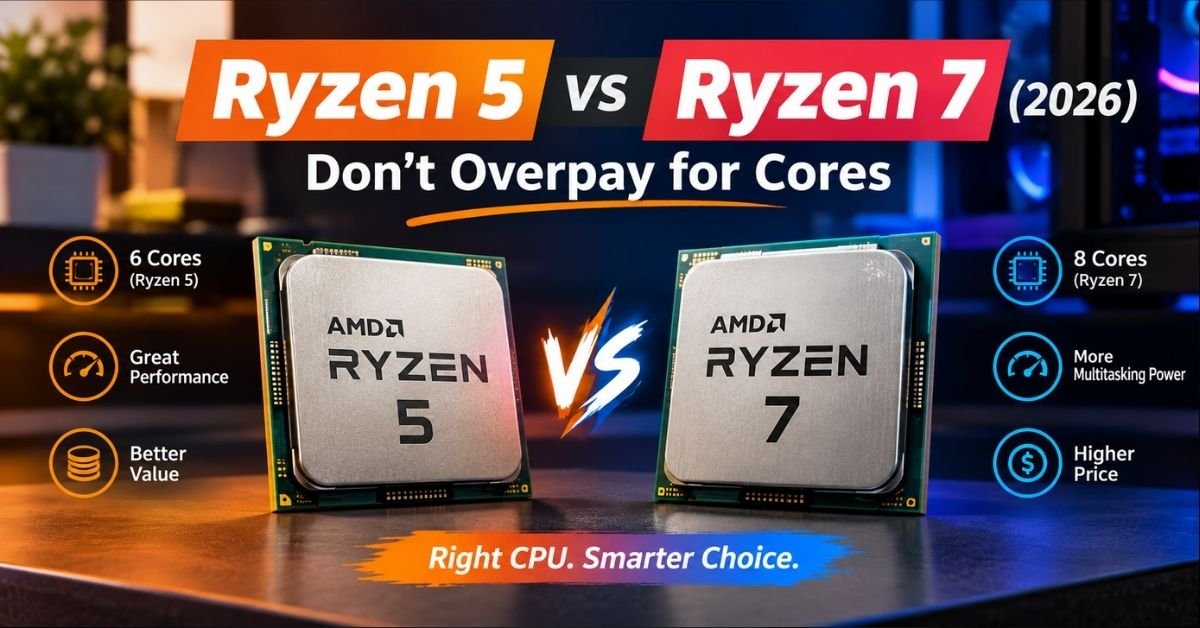
Standing in front of a spec sheet with “Ryzen 5” on one line and “Ryzen 7” on the next feels like it should be simple. It isn’t. AMD’s numbering tells you a rough performance tier, but it doesn’t tell you the generation, the socket, whether you’re getting 3D V-Cache, or whether that extra cash actually buys you anything you’ll notice.
This guide skips the marketing language and gets into what changes in real use gaming frame rates, render times, power draw, and the actual dollar-per-frame math that matters when you’re the one paying for it.
The Short Answer
Ryzen 5 is the smarter buy for gaming and everyday computing. Ryzen 7 earns its premium when you’re doing sustained multi-core work video editing, 3D rendering, compiling code, or running a VM alongside your main tasks.
Here’s the part most comparisons skip: within the same generation, a Ryzen 5 and Ryzen 7 share the same architecture, the same socket, the same memory support, and the same PCIe lanes. The difference usually comes down to core count and cache, not some fundamental performance ceiling.
Amd Ryzen 5 vs Ryzen 7: Core Differences at a Glance
| Factor | Ryzen 5 | Ryzen 7 |
| Typical core/thread count | 6 cores / 12 threads | 8 cores / 16 threads |
| Best for | Gaming, everyday use, budget builds | Content creation, streaming + gaming, heavy multitasking |
| Price range (current gen) | ~$180–$230 | ~$280–$480 |
| Cache (non-X3D) | Smaller L3 cache | Larger L3 cache |
| Socket (current gen) | AM5 | AM5 |
| Power draw | Generally lower TDP | Higher TDP on non-X3D parts |
| X3D gaming variants | Yes (7500X3D) | Yes (7800X3D, 9800X3D, 9850X3D) |
That said, treat this table as a starting point, not gospel. AMD’s own naming has gotten messier over the years, and a six-core X3D chip can now outrun an eight-core non-X3D Ryzen 7 in gaming. Specs alone won’t tell you that.
Why the Number Doesn’t Mean What You Think
Here’s where a lot of buyers get tripped up. “Ryzen 5” and “Ryzen 7” are market segments, not fixed specifications. AMD uses them to signal a performance tier mainstream versus higher-end but the actual core count, clock speed, and cache can shift generation to generation.
A Ryzen 5 from the AM4 era (like the 5600X) has 6 cores and 12 threads. A Ryzen 7 from the same generation (7800X3D) also carries 8 cores, 16 threads but pair a modern Ryzen 5 X3D chip against an older non-X3D Ryzen 7, and the “lower tier” chip can win in games.
What actually determines performance:
- Generation (Zen 4 vs Zen 5) newer architecture usually wins even at the same core count
- 3D V-Cache presence the X3D suffix matters more for gaming than the core count does
- Socket AM5 (current) vs AM4 (legacy, still sold for budget/upgrade builds)
- Suffix (X, non-X, G) signals power target and integrated graphics, and meanings shift by generation
If you remember one thing from this section, make it this: check the specific model, not just the family name. A Ryzen 5 9600X and a Ryzen 7 9700X are close cousins. A Ryzen 5 5600 and a Ryzen 7 9800X3D live in completely different performance worlds.
Gaming: Where the Real Decision Happens
Most people comparing Ryzen 5 vs Ryzen 7 are building a gaming PC, so let’s start there.
Very few games in 2026 meaningfully use more than six cores. Modern game engines spread work across threads, but the performance gains taper off hard after the sixth core. At 1440p or 4K, your graphics card becomes the bottleneck long before your CPU does.
That means for a large chunk of gamers, a six-core Ryzen 5 paired with a strong GPU will deliver frame rates nearly identical to an eight-core Ryzen 7 running the same graphics card. The difference often sits within a few percentage points smaller than what you’d get from a driver update.
Where this changes: 3D V-Cache.
X3D chips stack extra cache directly onto the processor die, and games respond to that far more than they respond to extra cores. A Ryzen 5 with X3D can beat a non-X3D Ryzen 7 in gaming benchmarks, despite having fewer cores. If frame rate is your only goal, chasing the X3D badge matters more than chasing the “5” or “7” label.
Practical gaming guidance:
- 1080p/1440p with a mid-range GPU: A Ryzen 5 (non-X3D) is plenty save the money for a better graphics card
- Chasing max frame rates or playing CPU-heavy titles (simulation, strategy games with big unit counts): Go X3D, whether that’s a Ryzen 5 or Ryzen 7 variant
- Gaming while running Discord, OBS, a browser with 40 tabs, and a Twitch stream: This is where Ryzen 7’s extra threads start earning their keep
Productivity and Creative Work: Where Ryzen 7 Pulls Ahead
Gaming is a single-thread-friendly workload. Video editing, rendering, and compiling are not and that’s where the extra cores on a Ryzen 7 chip stop being theoretical and start showing up on the clock.
Tasks where Ryzen 7’s extra cores matter:
- Exporting 4K video timelines in Premiere or DaVinci Resolve
- Blender or Cinema 4D rendering
- Compiling large codebases
- Running virtual machines alongside your main OS
- Batch photo processing in Lightroom
- Live streaming with CPU-based encoding while gaming
In these workloads, more cores means the work gets split across more parallel threads, and total time drops noticeably not by a few percent, but sometimes by 20–30% depending on how well the software threads its workload.
If your “gaming PC” is really a hybrid machine you game at night and edit content or code during the day the Ryzen 7 premium usually pays for itself in saved time.
See More: CPU With Best Integrated Graphics: The 2026 Buyer’s Guide
The X3D Wildcard: Don’t Skip This Section
If you take one purchasing shortcut from this article, make it this: look at whether the chip has X3D before you look at whether it’s a 5 or a 7.
3D V-Cache technology stacks additional L3 cache vertically on the CPU die. Games love large caches because it reduces how often the processor has to fetch data from slower system memory and that translates directly into higher, more stable frame rates.
Current-generation X3D options span both tiers:
- Ryzen 5 7500X3D the budget-friendly gaming sweet spot
- Ryzen 7 7800X3D / 9800X3D / 9850X3D flagship gaming performance, plus enough cores for heavier multitasking
Trade-off to know: X3D chips are typically clocked slightly lower than their non-X3D counterparts and often run a bit warmer under sustained load, particularly in non-gaming, all-core workloads. For pure gaming, that trade-off is almost always worth it. For rendering-heavy work, a non-X3D Ryzen 9 or high-core Ryzen 7 may actually finish faster.
Socket and Platform: AM5 vs AM4
AM5 is the current platform, and it’s what you want for a new build in 2026 unless the budget is extremely tight. Ryzen 7000 and 9000 series chips share this socket, which means upgrading within AM5 later, say, from a 7600X to a 9800X3D often needs nothing more than a BIOS update.
AM4 is legacy but not dead. Chips like the Ryzen 5 5600 and the re-released Ryzen 7 5800X3D 10th Anniversary Edition still slot into existing AM4 motherboards. If you’re upgrading an older PC rather than building from scratch, this can be the cheaper path you skip buying a new motherboard and DDR5 memory entirely.
Before you buy an AM4 chip for an upgrade: check your specific motherboard’s BIOS compatibility list. Not every AM4 board supports every AM4 CPU without a BIOS update first, and older boards sometimes need that update flashed with an older, compatible CPU already installed, a genuine chicken-and-egg problem if you’ve already pulled your old chip.
Don’t Forget the G-Series (Integrated Graphics)
If you’re building a PC without a dedicated graphics card, the Ryzen 5 vs Ryzen 7 comparison shifts entirely. G-series APUs need their own evaluation, because the integrated graphics can matter more than the core count label.
- Ryzen 5 8600G Radeon 760M graphics, solid for 1080p esports titles and everyday use
- Ryzen 7 8700G Radeon 780M graphics with more compute units, capable of 1080p gaming at 60 FPS in a wider range of titles, plus a dedicated AI NPU
The Ryzen 5 8600G typically delivers around 90% of the 8700G’s gaming performance for meaningfully less money, which makes it the better value pick if you’re not chasing every last frame. The 8700G earns its price if integrated graphics are your only graphics solution and you want headroom for slightly heavier titles.
Power Consumption and Cooling: The Overlooked Factor
Higher core counts generally mean higher power draw under full load, and that has two real-world consequences: your electricity bill and your cooler requirements.
Practical cooling guidance:
- Non-X3D Ryzen 5 chips (65W TDP): A stock cooler or a basic tower cooler handles these comfortably
- Non-X3D Ryzen 7 chips: Budget for a mid-range air cooler or an entry-level AIO if you’re running sustained workloads like rendering
- X3D chips: Despite lower clocks, these can run warm under all-core loads. A quality air cooler is the minimum; an AIO gives more headroom, especially in a case with limited airflow
If your PC case has poor airflow, a common problem in budget cases with solid front panels, a Ryzen 7 under sustained load can hit thermal throttling faster than you’d expect, quietly eating into the performance you paid extra for. This is a genuinely common troubleshooting scenario: users buy the more powerful chip, drop it into a cramped case with one exhaust fan, and wonder why benchmarks don’t match reviews online. Check your case’s airflow before you blame the CPU.
Troubleshooting: “I Upgraded to Ryzen 7 and Barely Notice a Difference”
This is one of the most common post-purchase complaints, and it usually traces back to one of these:
- You’re GPU-bottlenecked. If you paired the CPU with a mid-range or older graphics card at 1440p/4K, the GPU is capping your frame rate regardless of CPU tier. Check GPU utilization in a monitoring tool if it’s pinned near 99%, your CPU wasn’t the bottleneck to begin with.
- Your games don’t use more than 6 threads. Not every title scales past six cores. Check reviews for your specific games’ CPU scaling before assuming more cores will help.
- RAM speed or timings are holding you back. AMD’s Infinity Fabric and memory controller are sensitive to RAM speed. Running slower or mismatched DDR5 kits can flatten the advantage a newer chip should show.
- BIOS isn’t updated. Especially relevant on AM5 boards after a CPU swap an outdated BIOS can leave performance on the table or cause instability.
- Background processes are eating threads. Check Task Manager for anything unexpectedly consuming CPU cycles before assuming your new chip underperforms.
Decision Checklist
Use this to cut through the analysis paralysis:
- [ ] Pure gaming, mid-range GPU, 1080p/1440p → Ryzen 5 (non-X3D)
- [ ] Gaming is the priority, budget allows a bit more → Ryzen 5 X3D (7500X3D) or Ryzen 7 X3D (7800X3D/9800X3D)
- [ ] Gaming plus streaming, video editing, or compiling → Ryzen 7 (non-X3D or X3D depending on workload mix)
- [ ] No dedicated GPU planned → Compare G-series specifically, not standard Ryzen 5/7 desktop chips
- [ ] Upgrading an existing AM4 system → Check BIOS compatibility before buying either tier
- [ ] Building fresh in 2026 → Default to AM5 unless budget is the deciding factor
Frequently Asked Questions
Is the AMD Ryzen 7 better than the AMD Ryzen 5?
In the same generation, yes — a Ryzen 7 usually has more cores and threads, so it pulls ahead in video editing, rendering, and heavy multitasking. But for gaming alone, the gap shrinks to almost nothing once you’re not CPU-bottlenecked. “Better” depends on the workload, not the label.
Which laptop is better, the Ryzen 7 or the Ryzen 5?
For a laptop, Ryzen 7 is the safer pick if you multitask heavily, edit video, or want more longevity before the machine feels dated. Ryzen 5 laptops are the better value if you mainly browse, stream, and do light office work — you’ll get similar battery life and everyday responsiveness for less money. Check the exact model number, since laptop chips (U-series vs H-series) affect performance more than the 5-vs-7 label alone.
Is AMD Ryzen 7 better than Intel 5?
If “Intel 5” means Intel Core i5, a modern Ryzen 7 generally wins on multi-core tasks like rendering and compiling, thanks to its extra cores and threads. Intel’s i5 chips often hold their own — or lead — in single-thread and gaming performance, depending on the generation. Compare specific same-generation models rather than the tier names, since a two-year-old Ryzen 7 can lose to a brand-new i5.
Is Ryzen 5 7000 better than Ryzen 7 5000?
Often, yes. The Ryzen 5 7000 series uses AMD’s newer Zen 4 architecture, which delivers a meaningful IPC (instructions-per-cycle) jump over Zen 3. In real benchmarks, a Ryzen 5 7600 typically beats a Ryzen 7 5700X in single-thread performance and matches or slightly edges it in overall multi-thread scores — despite having fewer cores. This is the clearest proof that generation matters more than the number after “Ryzen.”
Is Ryzen 5 equal to i5 or i7?
Ryzen 5 sits closest to Intel’s Core i5 in price, positioning, and typical performance tier — both target mainstream users who want solid gaming and productivity without paying flagship prices. It’s not a fair match against i7, which is Intel’s higher tier with more cores and cache, similar to how Ryzen 7 compares to Ryzen 5. Think of it as Ryzen 5 ≈ Core i5, Ryzen 7 ≈ Core i7 — with actual performance still depending on the specific generation and model.
